
Add Call Now Button on WordPress

To add a “Call Now” button on your WordPress website, follow these easy steps:
Option 1: Using a Plugin
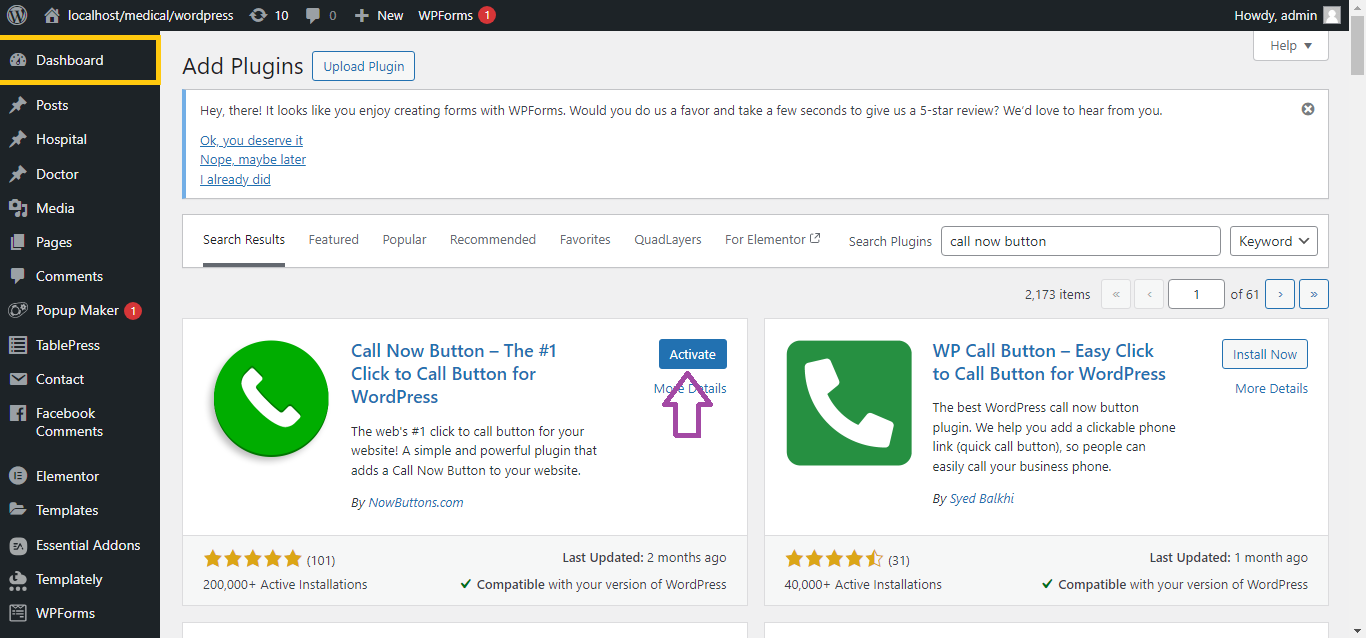
Step 1: Install the “Call Now Button” Plugin
- Log in to your WordPress Dashboard.
- Navigate to Plugins > Add New.
- In the search bar, type Call Now Button.
- Find the plugin called Call Now Button by Jerry Rietveld and click Install Now.
- Once installed, click Activate.
Step 2: Configure the Call Now Button
- After activation, go to Settings > Call Now Button.
- Toggle the Activate the Call Now Button option to On.
- Enter your phone number in the field provided (ensure you include your country code).
- Example:
+1234567890
- Example:
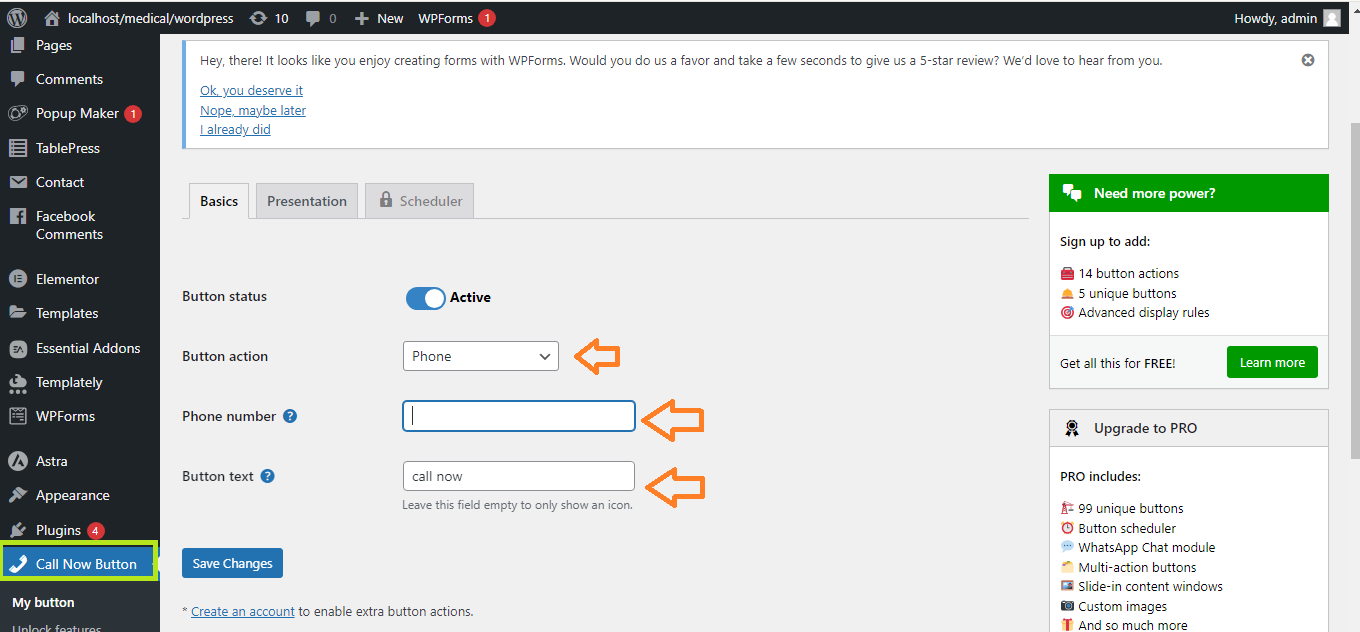
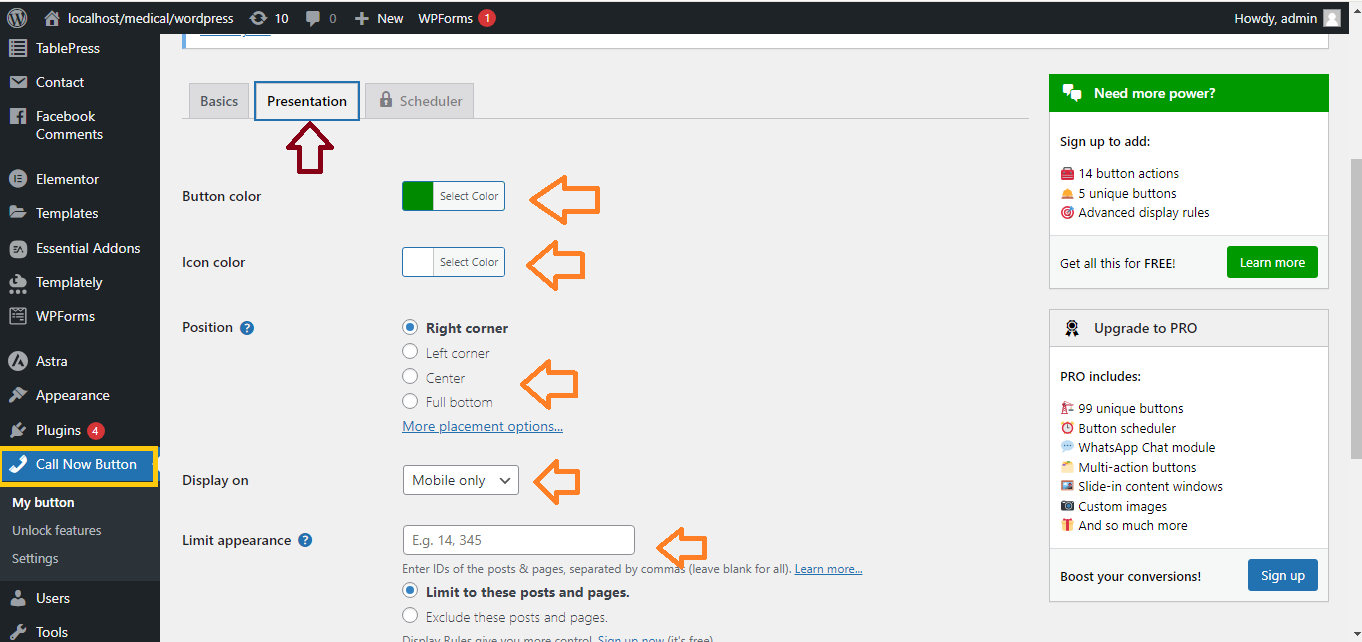
- Customize button appearance if desired (color, position, etc.).
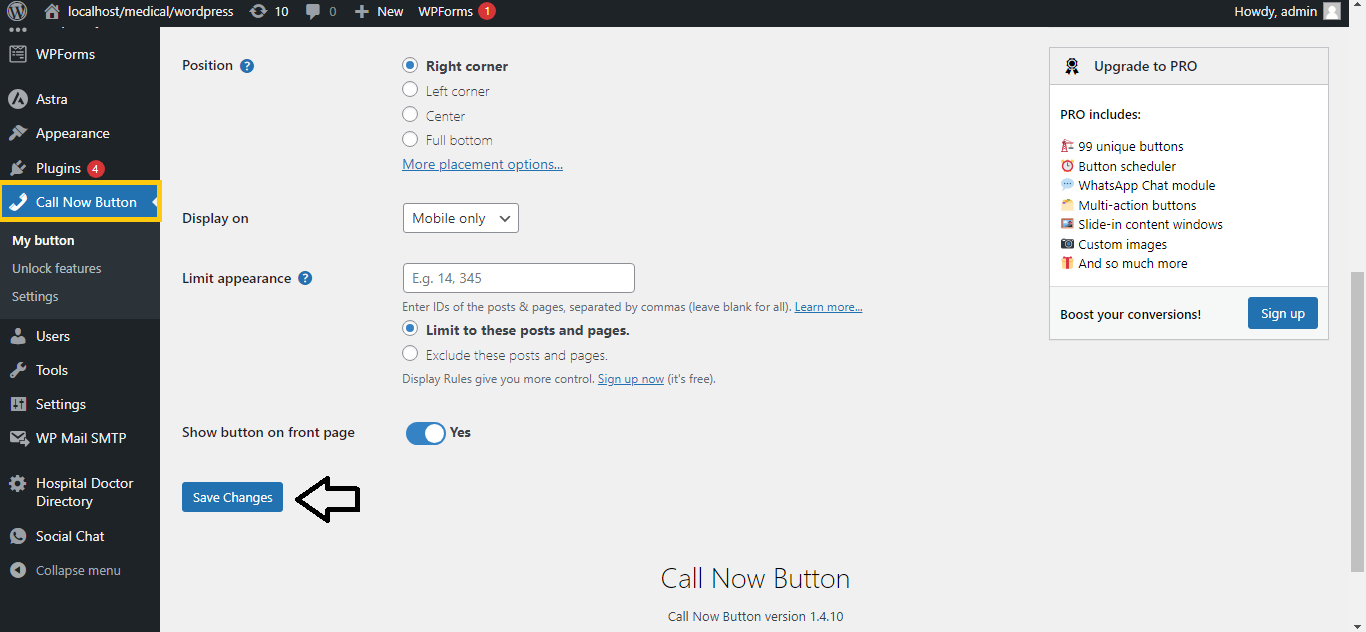
Step 3: Save Settings
- After configuring the settings, click Save Changes.
Step 4: Test the Button
- Visit your website on a mobile device (since the button usually only appears on mobile) to see the “Call Now” button.
- Tap the button to ensure it dials the correct number.


