
Duplicate Post in WordPress

Here’s a quick and simple guide to duplicating a post in WordPress:
Step 1: Install the Duplicate Post Plugin
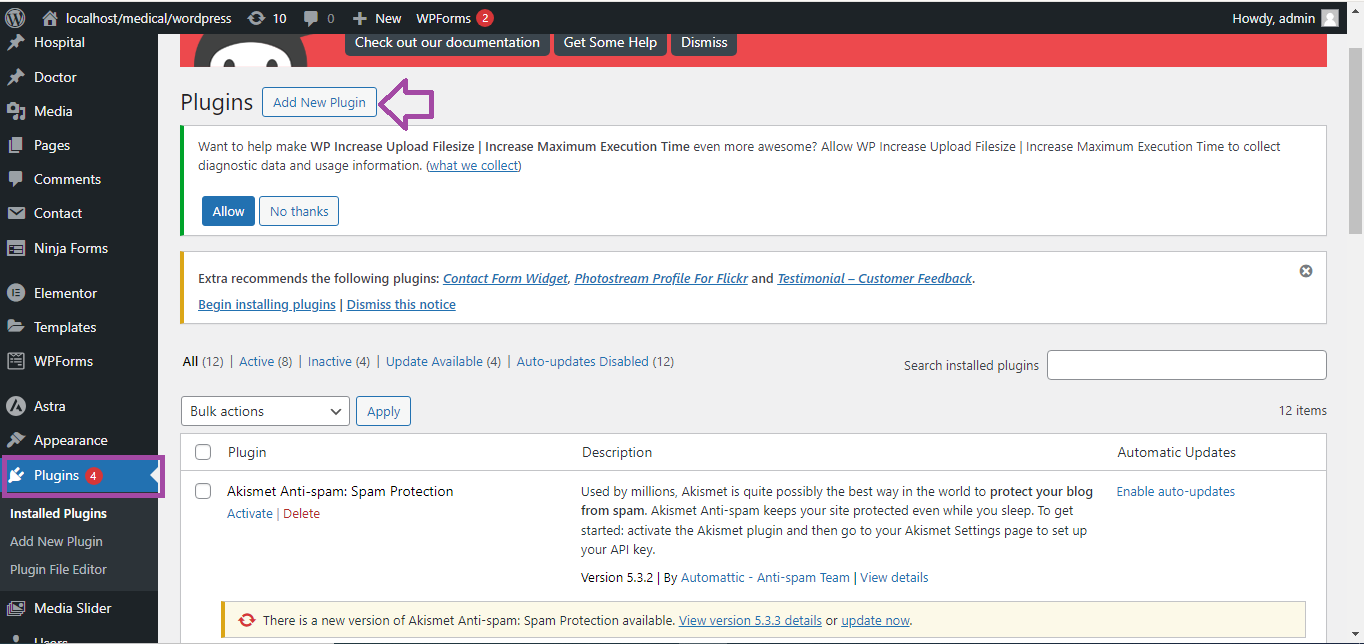
- Go to Plugins > Add New in your WordPress dashboard.
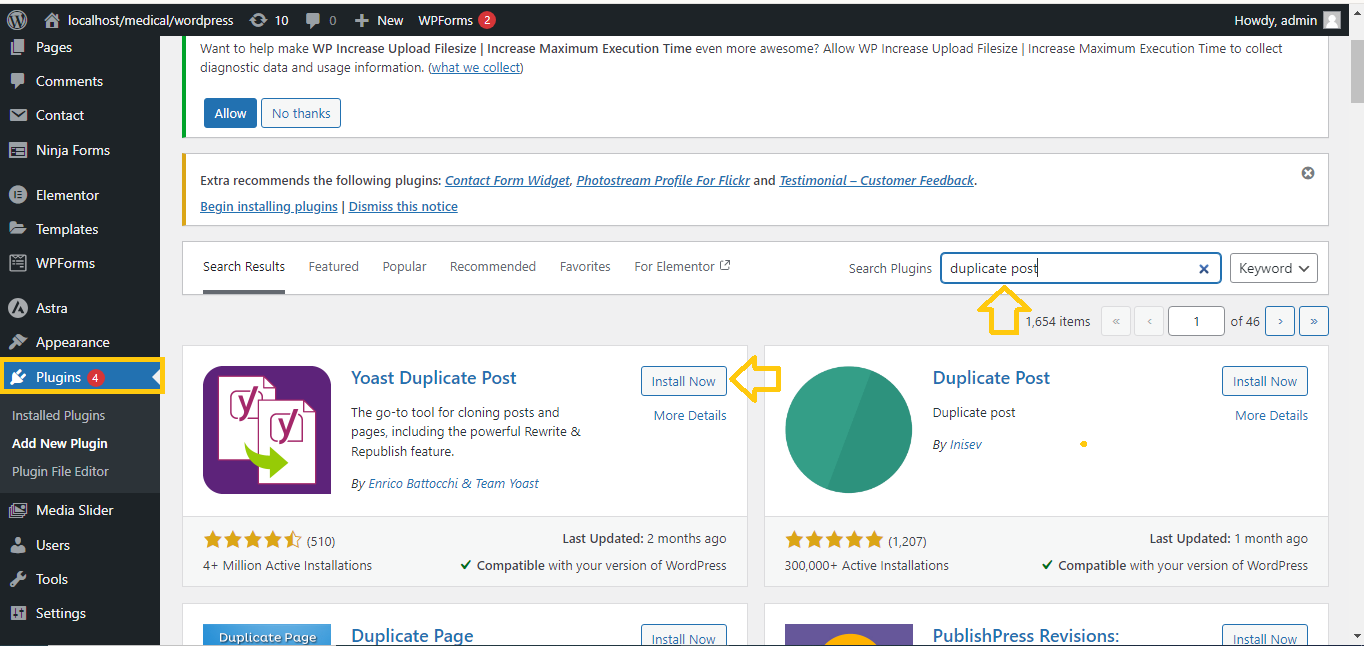
- Search for “Duplicate Post” (by Yoast).
- Click Install Now, then Activate.
Step 2: Duplicate a Post
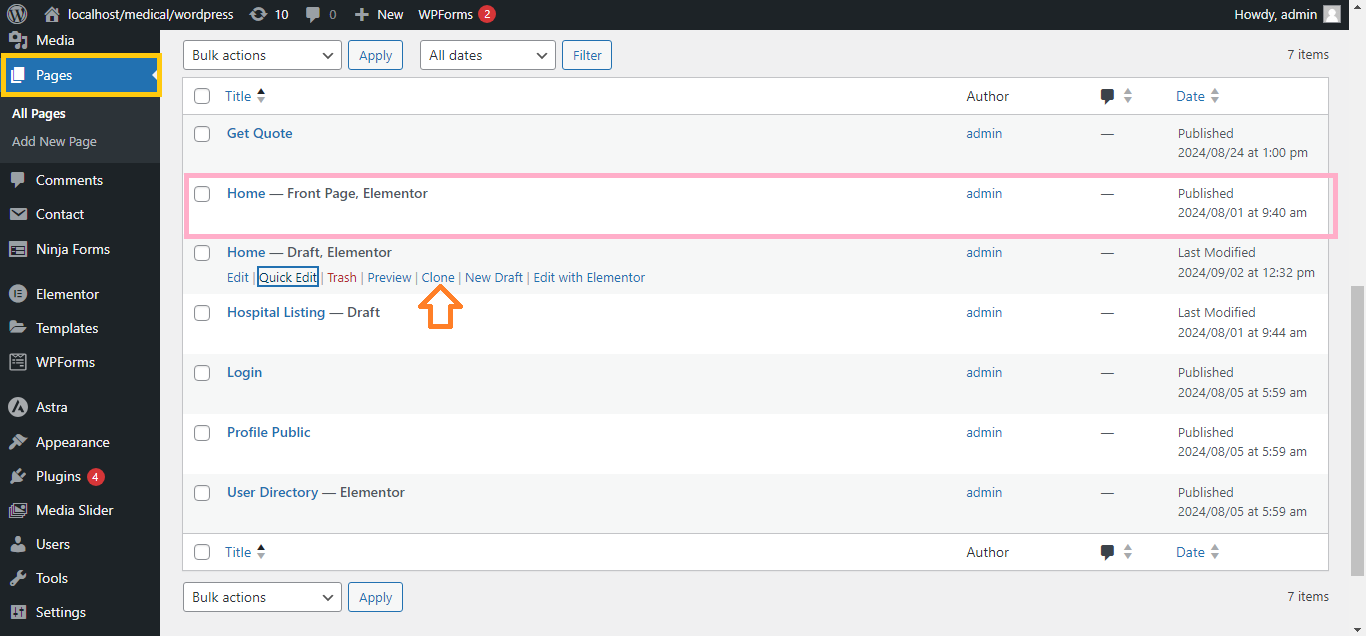
- Go to Posts (or Pages).
- Hover over the post you want to duplicate.
- Click Clone to create a duplicate, or New Draft to duplicate and start editing.
Step 3: Edit and Publish
- The duplicated post will appear as a draft.
- Click on it to make any edits.
- Click Publish when you’re ready.
That’s it! Your post is now duplicated.


