Install WooCommerce Storefront Theme

Here’s a simple step-by-step guide to install the WooCommerce Storefront theme:
1. Log into WordPress Dashboard
- Go to your WordPress admin panel by visiting
yourdomain.com/wp-admin. - Enter your login credentials.

2. Go to Themes Section
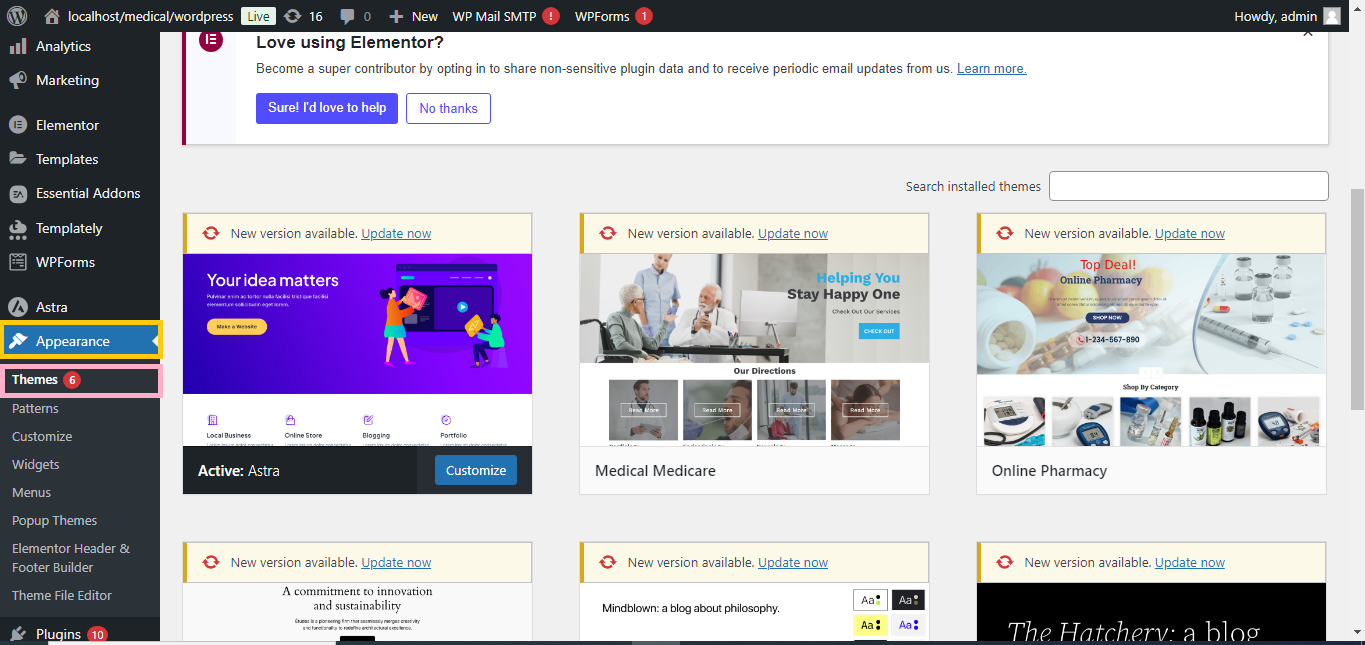
- From the WordPress dashboard, go to Appearance > Themes.
- Click Add New at the top of the page.
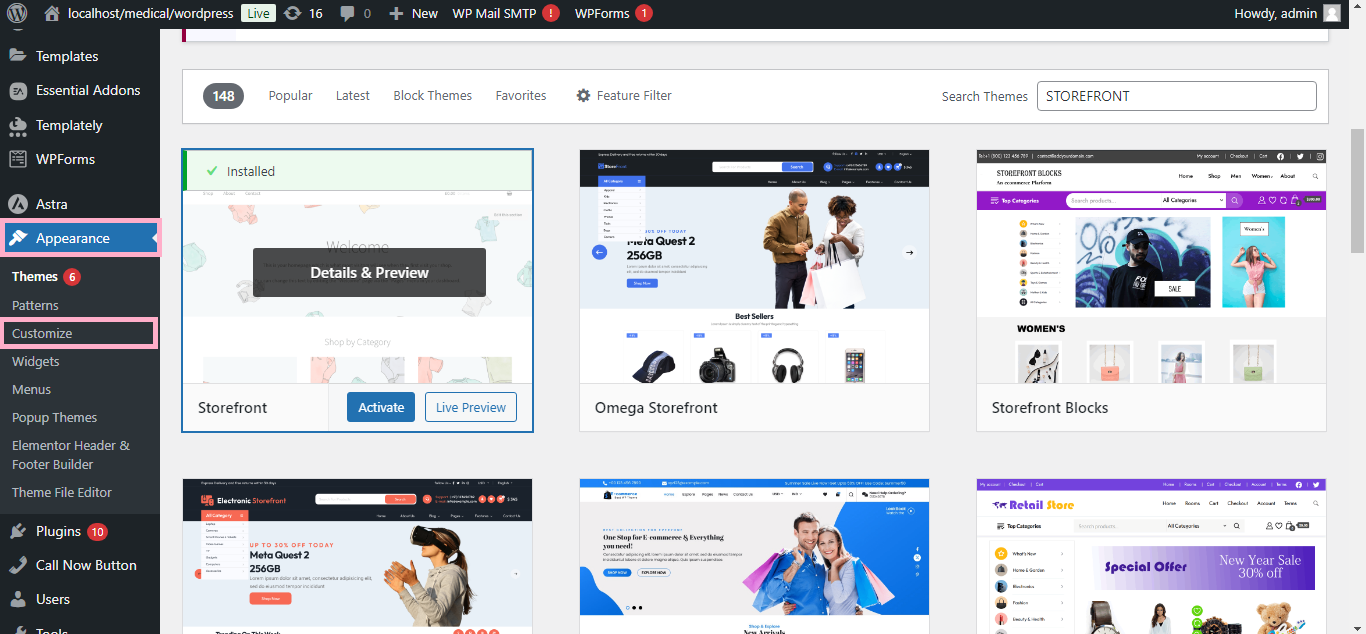
3. Search for Storefront
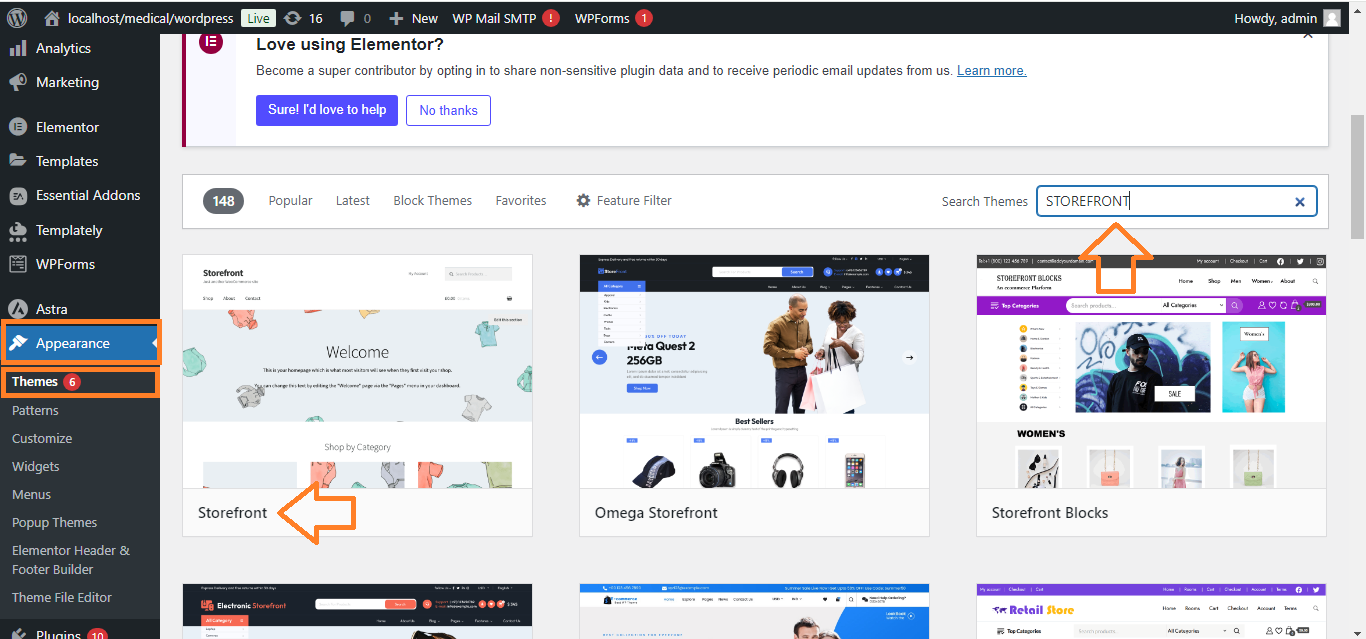
- In the search bar on the right, type “Storefront.”
- The Storefront theme by Automattic should appear in the results.
4. Install the Theme
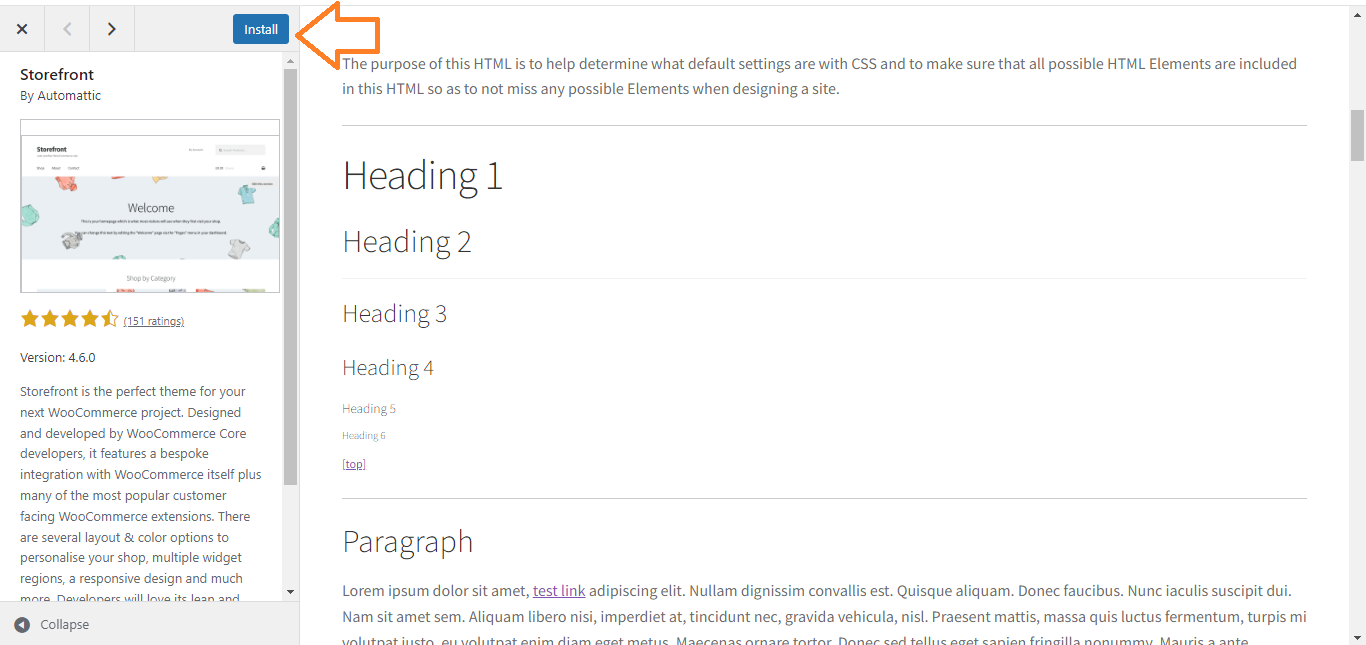
- Click Install on the Storefront theme.
- Wait for the installation to complete.
5. Activate the Theme
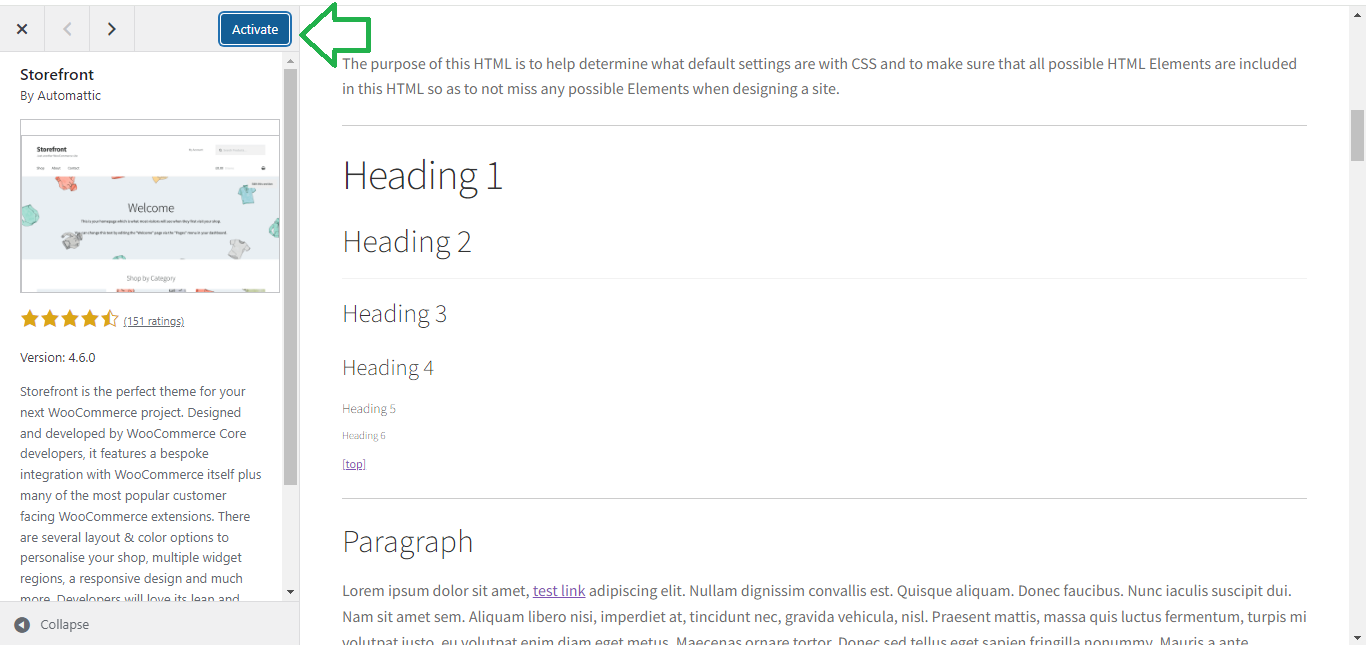
- Once installed, click Activate to make Storefront your active theme.
6. Customize the Theme
- Go to Appearance > Customize to adjust the look and feel of your Storefront theme.
Now, your WooCommerce Storefront theme is installed and ready to customize!


