
Add Bing Map in WordPress

Steps to Add Bing Maps in Elementor
- Get Bing Maps Embed Code:
- Search for the location you want to embed.
- Once the map is displayed, click the Share button on the map.
- Select Embed a Map and customize the size and view.
- Click Generate Code and copy the HTML embed code.

- Open the Page in Elementor:
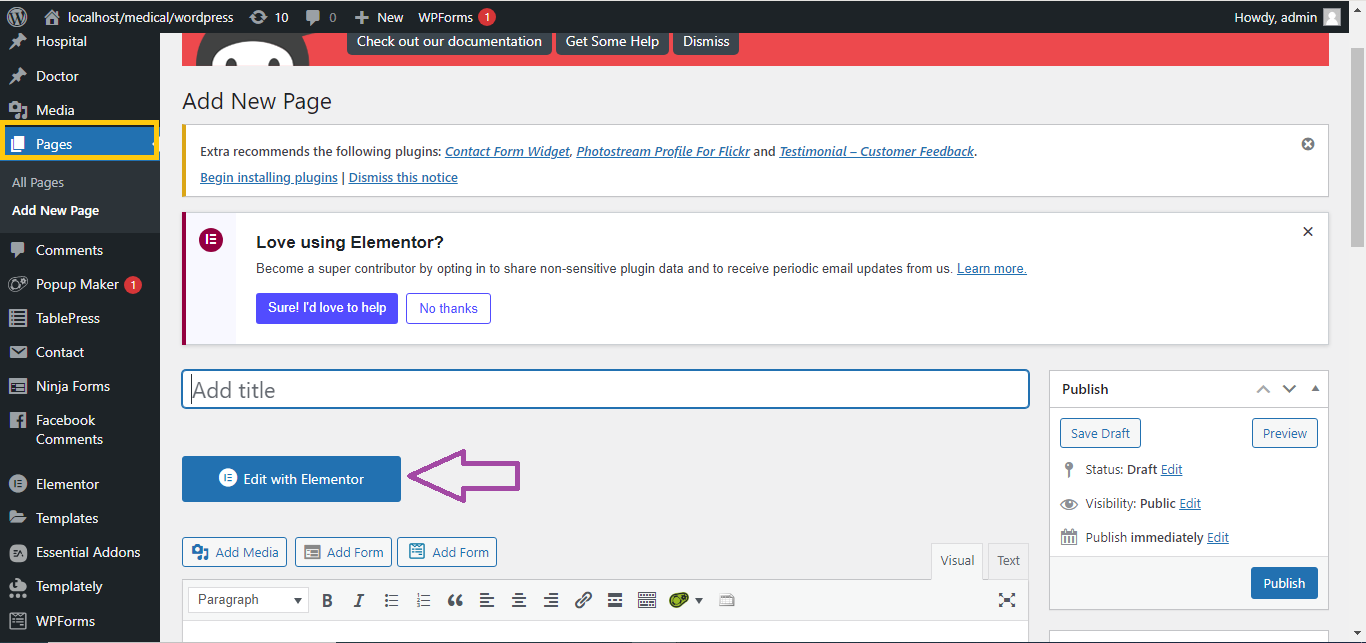
- In your WordPress dashboard, navigate to the page or post where you want to add the Bing map.
- Click Edit with Elementor.
- Add an HTML Widget:
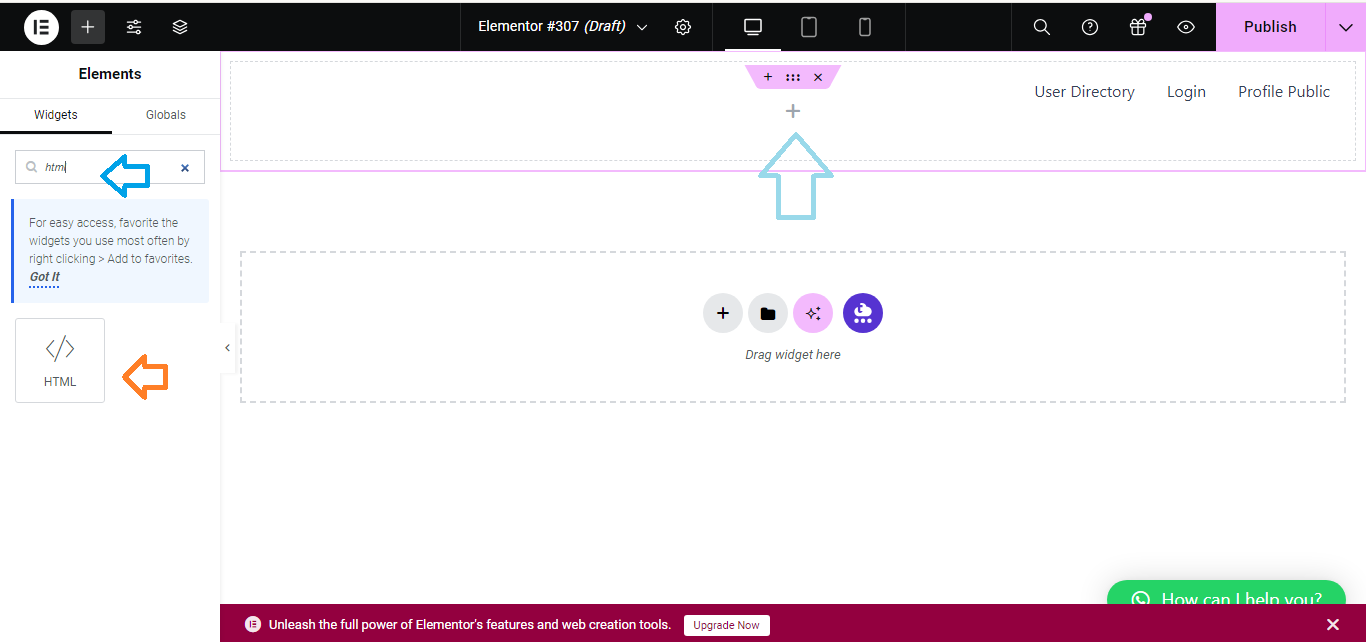
- In the Elementor sidebar, search for the HTML widget.
- Drag and drop the HTML widget to the section where you want to display the Bing map.
- Save and Publish:
- Once the map is embedded, click Update to save your changes.
Now, the Bing Map will be embedded on your Elementor page, and visitors can interact with it!


