
Add Google Form in WordPress

Adding a Google Form to your WordPress site is quite straightforward. Here’s a simple guide to do it:
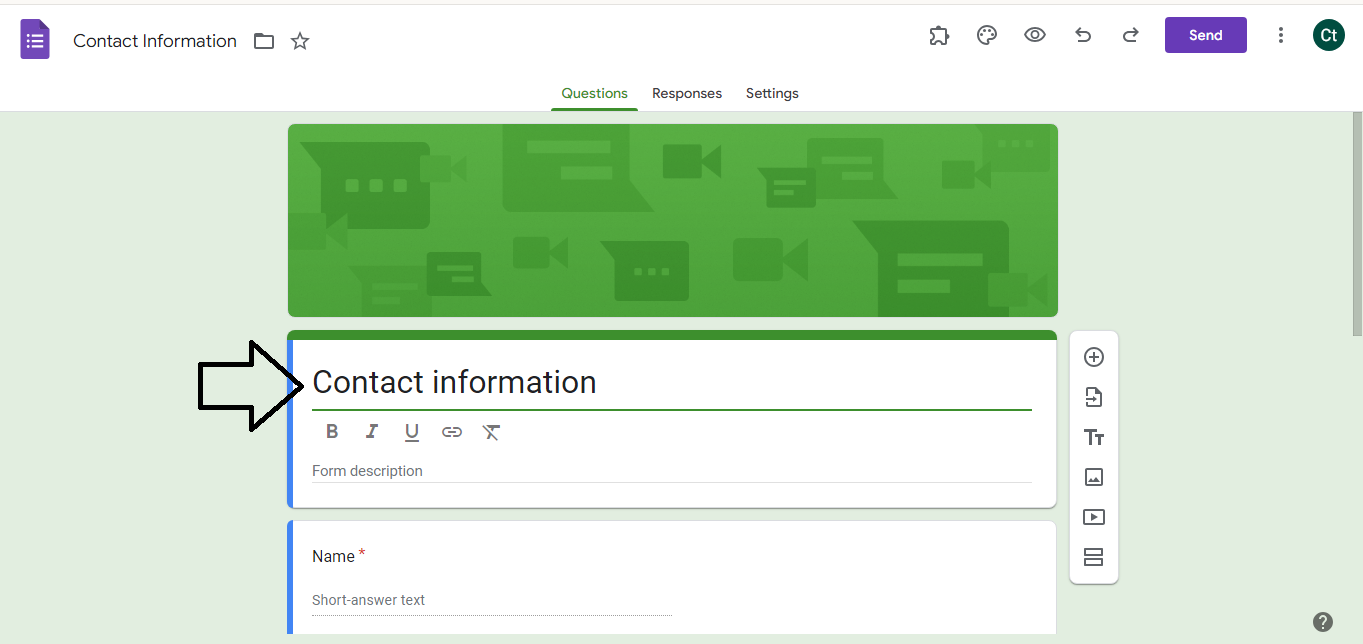
- Create Your Google Form:
- Go to Google Forms.

-
- Create a new form or open an existing one.
- Customize your form as needed.
- Get the Embed Code:
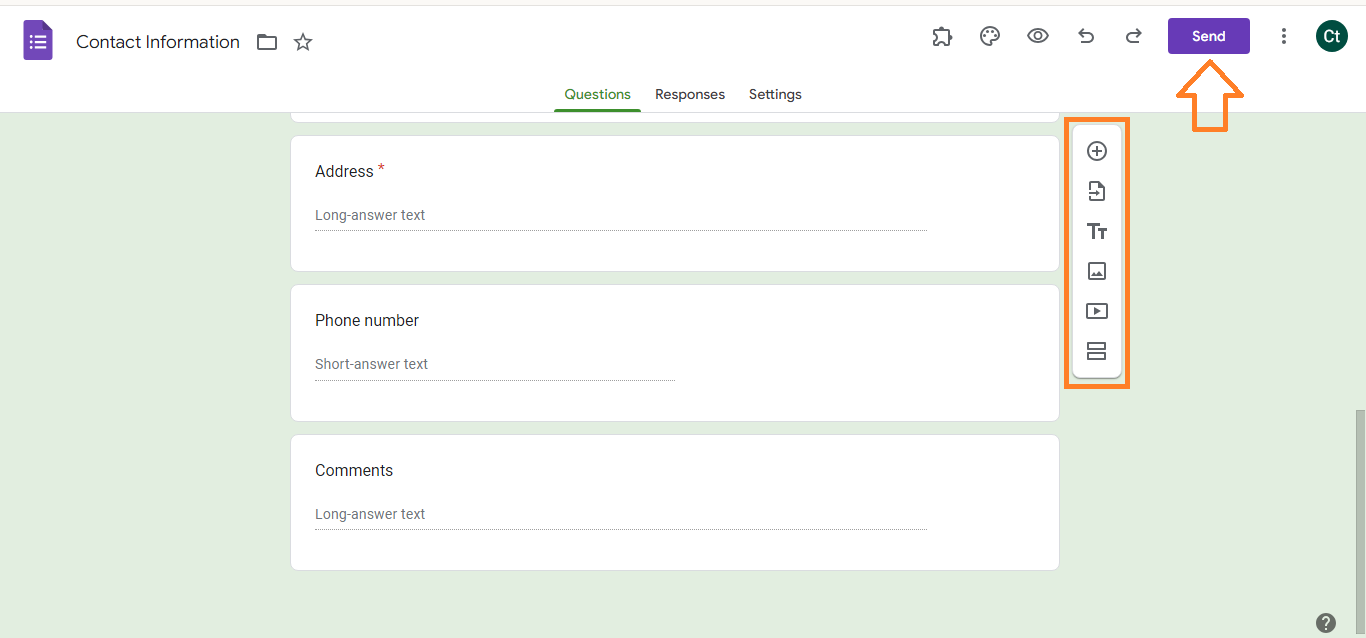
- In Google Forms, click the “Send” button at the top right of the form.
-
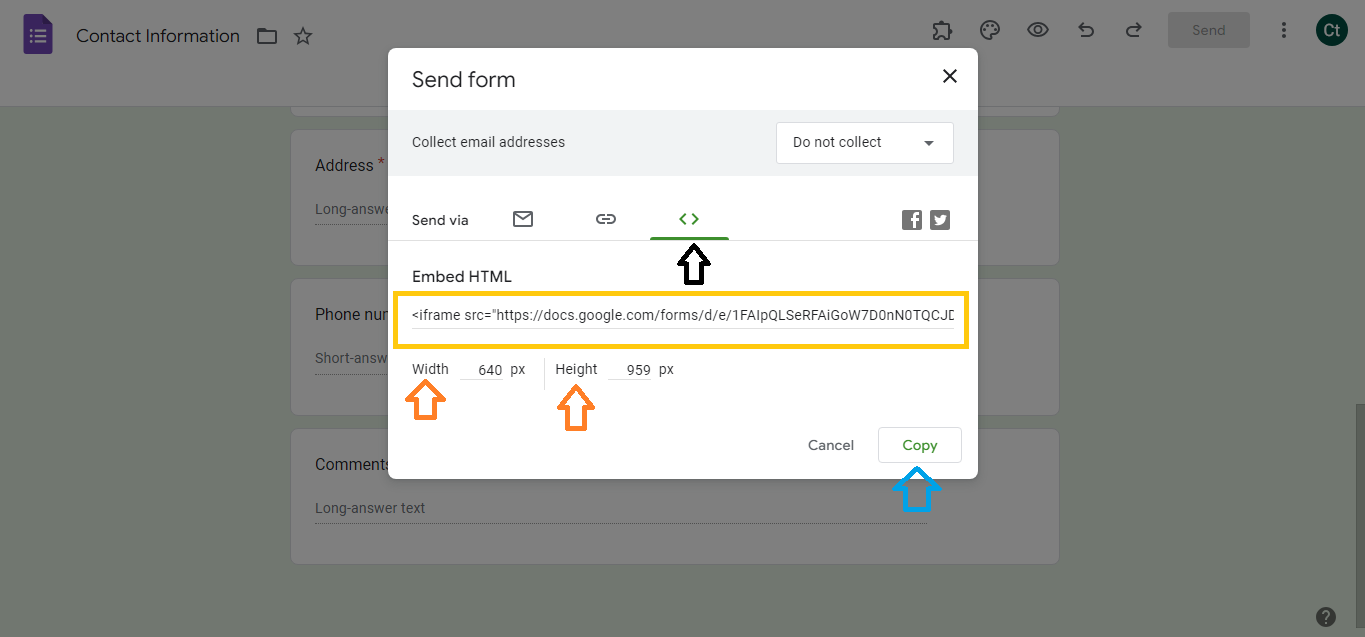
- Select the embed icon (a rectangle with two arrows).
- Adjust the width and height if needed.
- Copy the provided HTML embed code.
- Add the Form to Your WordPress Site:
- Log in to your WordPress dashboard.

-
- Go to the page or post where you want to add the form.
- Switch to the HTML view of the editor by clicking on the “Text” tab if you’re using the Classic Editor, or using a Custom HTML block if you’re using the Block Editor (Gutenberg).
- Paste the embed code where you want the form to appear.
- Update or publish the page/post.
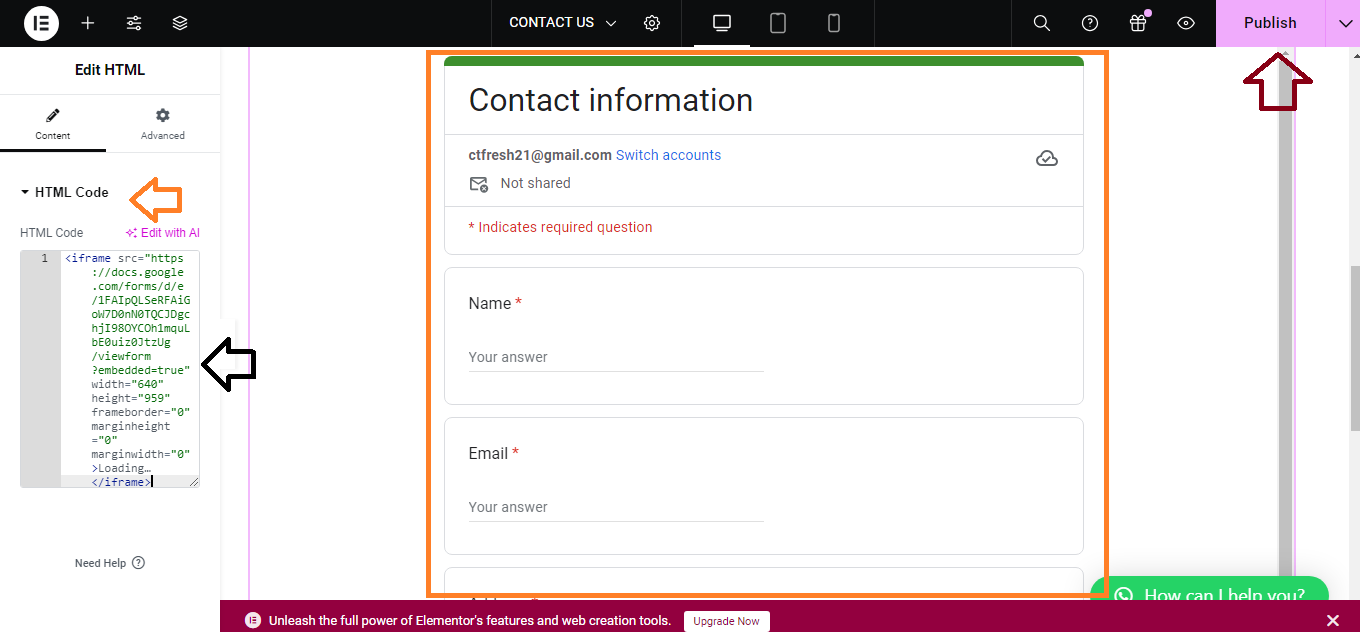
That’s it! Your Google Form should now be embedded and visible on your WordPress site.


