Change or remove the Footer copyright text

Changing or removing the footer copyright text in WordPress is typically a straightforward process. Here’s how to do it:
1. Using the WordPress Customizer:
- Log In to Your WordPress Dashboard:
- Go to your WordPress admin area.
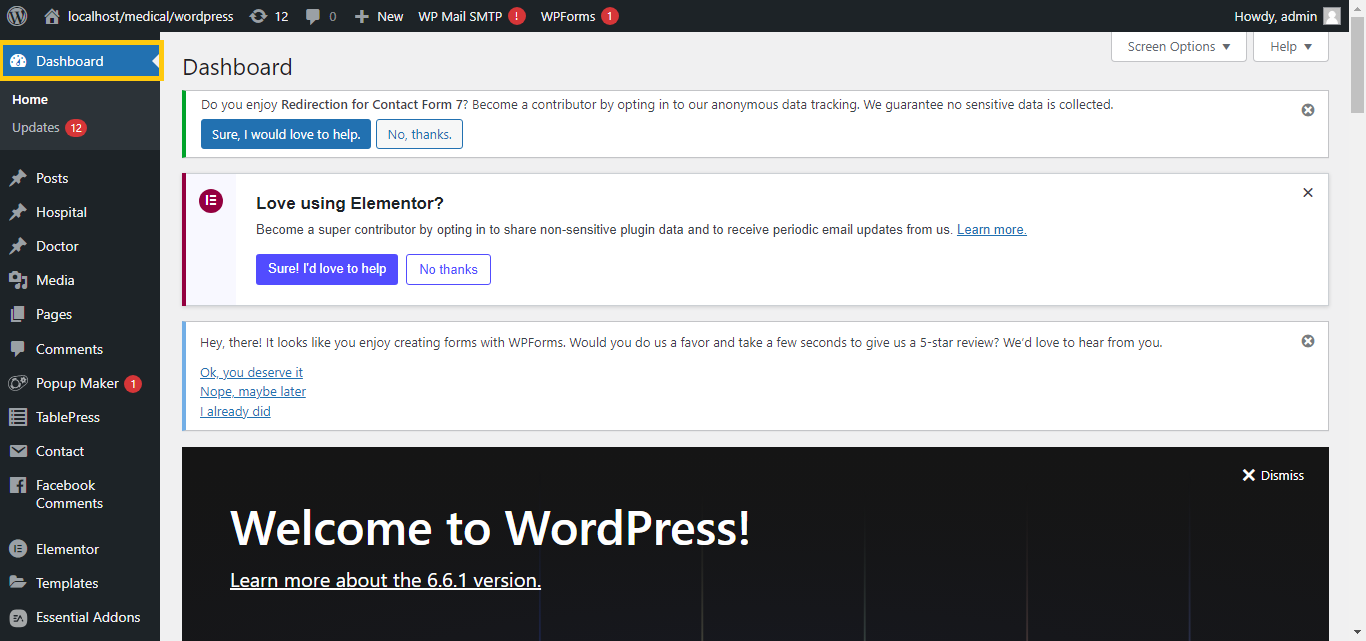
- Navigate to the Customizer:
- Go to
Appearance>Customize.
- Go to
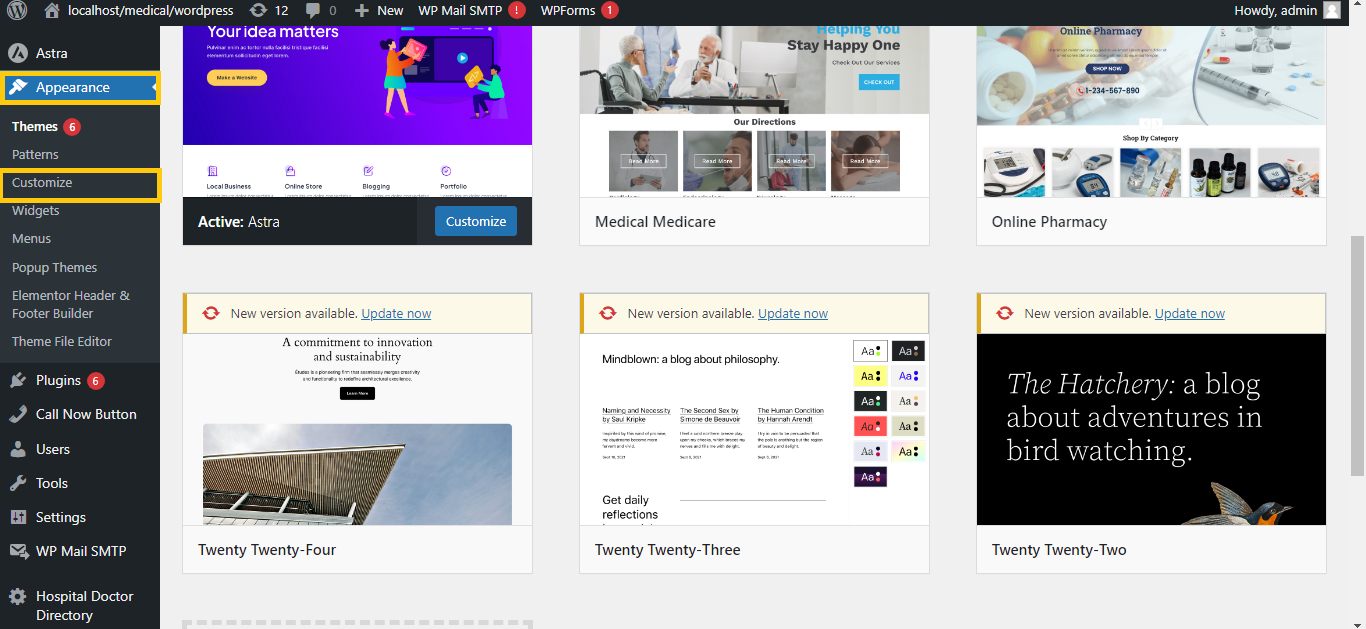
- Find the Footer Section:
- Look for a section related to the footer. This might be labeled as “Footer,” “Site Identity,” or something similar, depending on your theme.
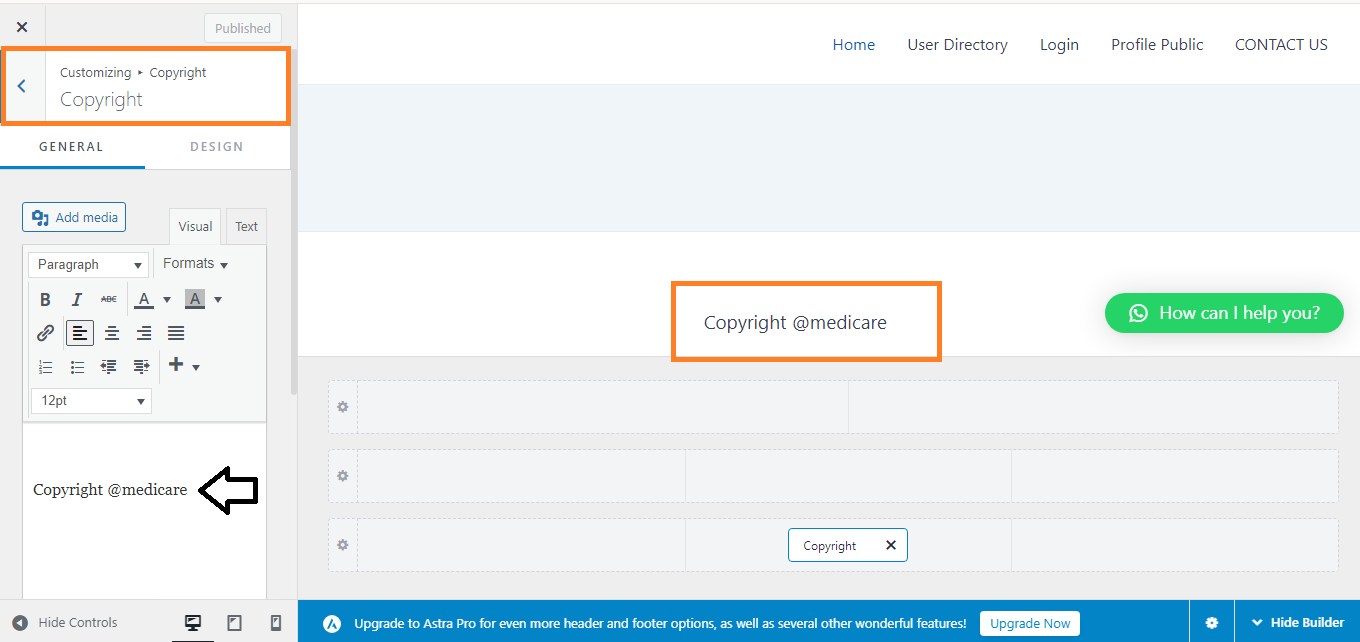
- Edit or Remove Copyright Text:
- Locate the field where the copyright text is set. It may be under “Footer Settings” or “Site Footer.”
- You can either change the text to something new or remove it altogether.
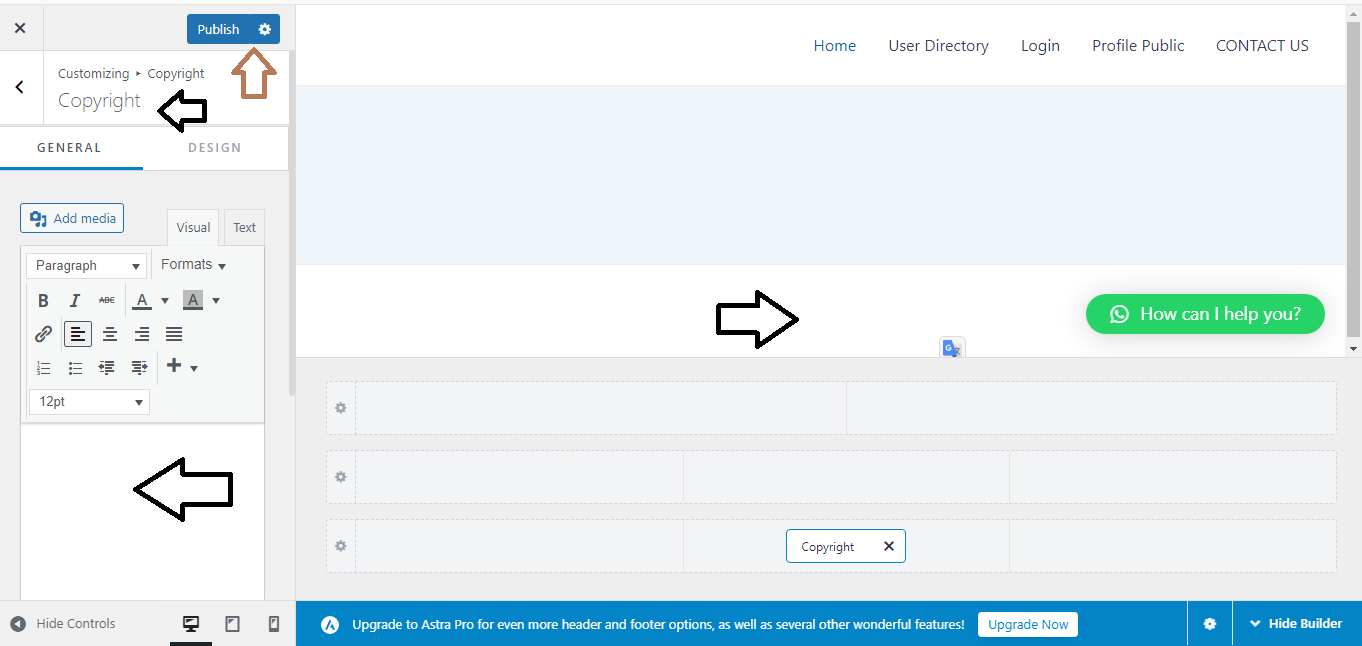
- Publish Changes:
- Click “Publish” to save and apply your changes.


