Add YouTube Video to WordPress

Step 1: Edit the Page with Elementor
- Go to your WordPress dashboard.
- Navigate to Pages or Posts.
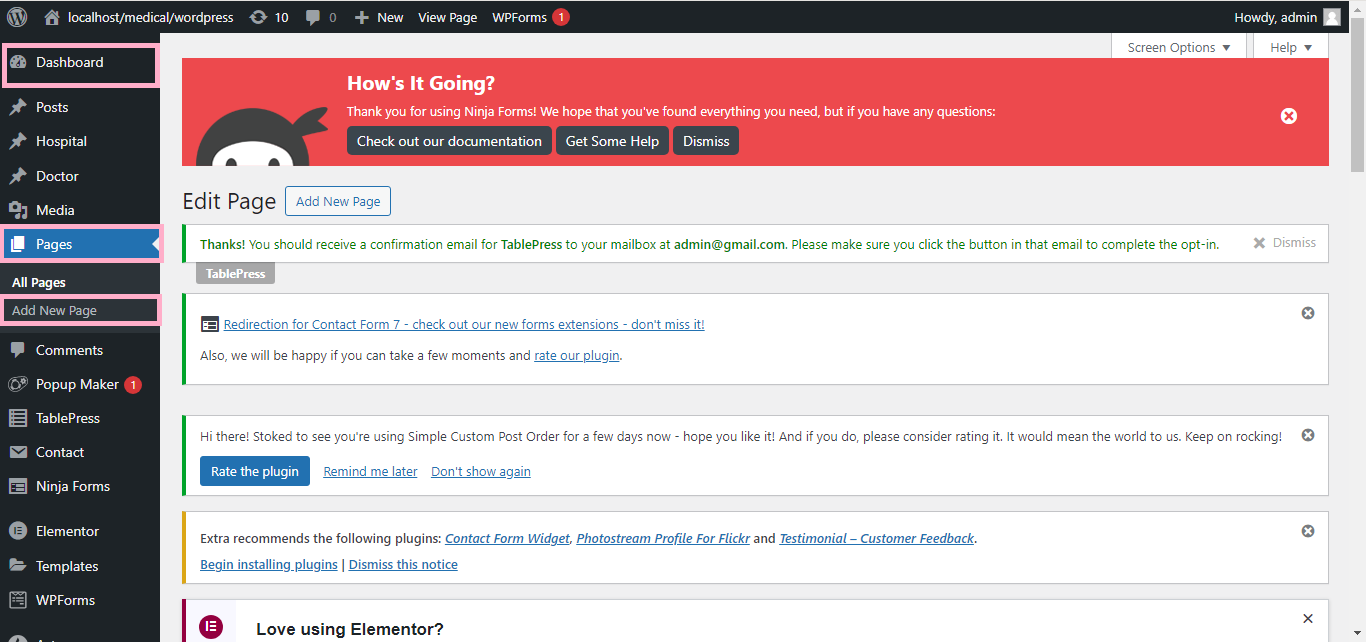
- Select the page or post where you want to add the video and click Edit with Elementor.
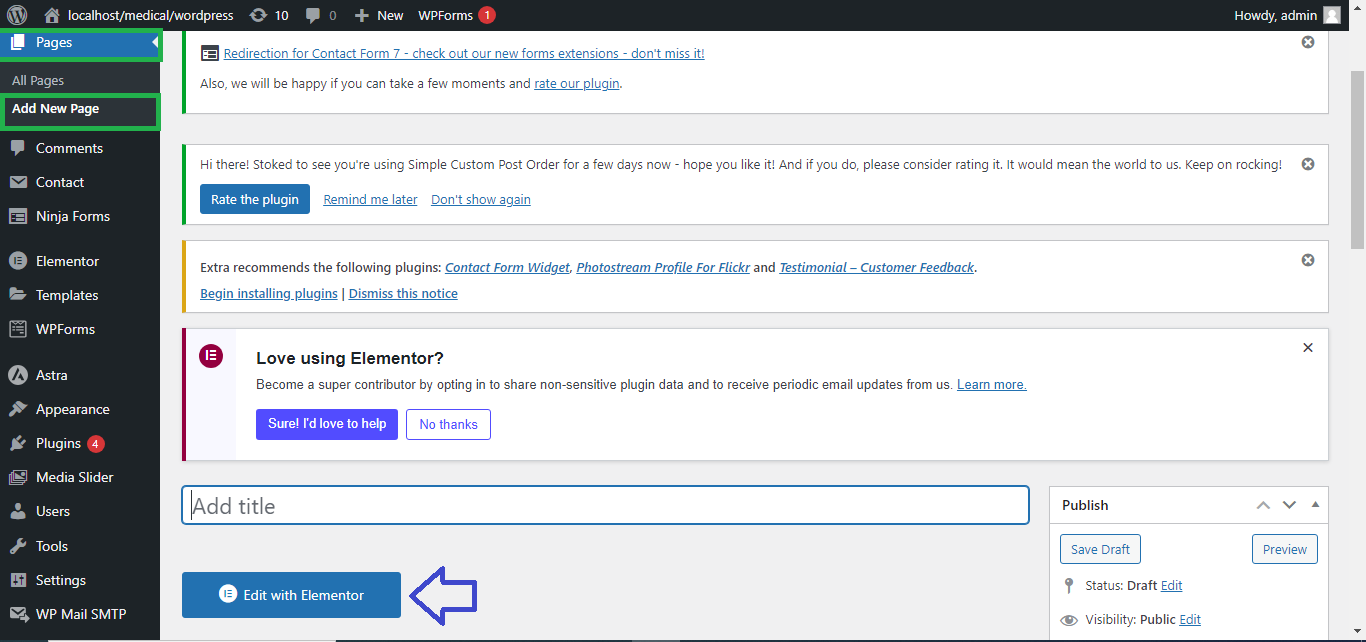
Step 2: Add the YouTube Video Widget
- In the Elementor panel, search for the Video widget.
- Drag and drop the Video widget onto the section where you want to place the video.
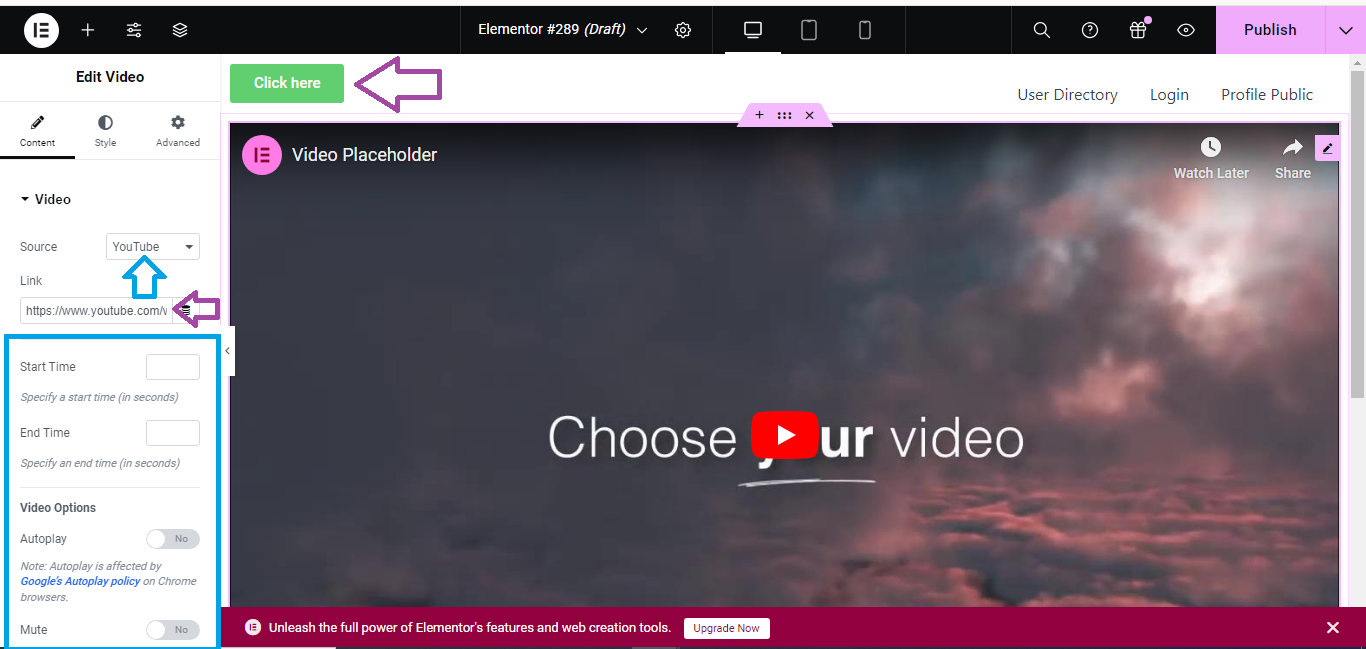
Step 3: Insert the YouTube Link
- In the left panel, under Video > Link, paste the YouTube video URL you copied earlier.
- The video will automatically appear in the widget area.
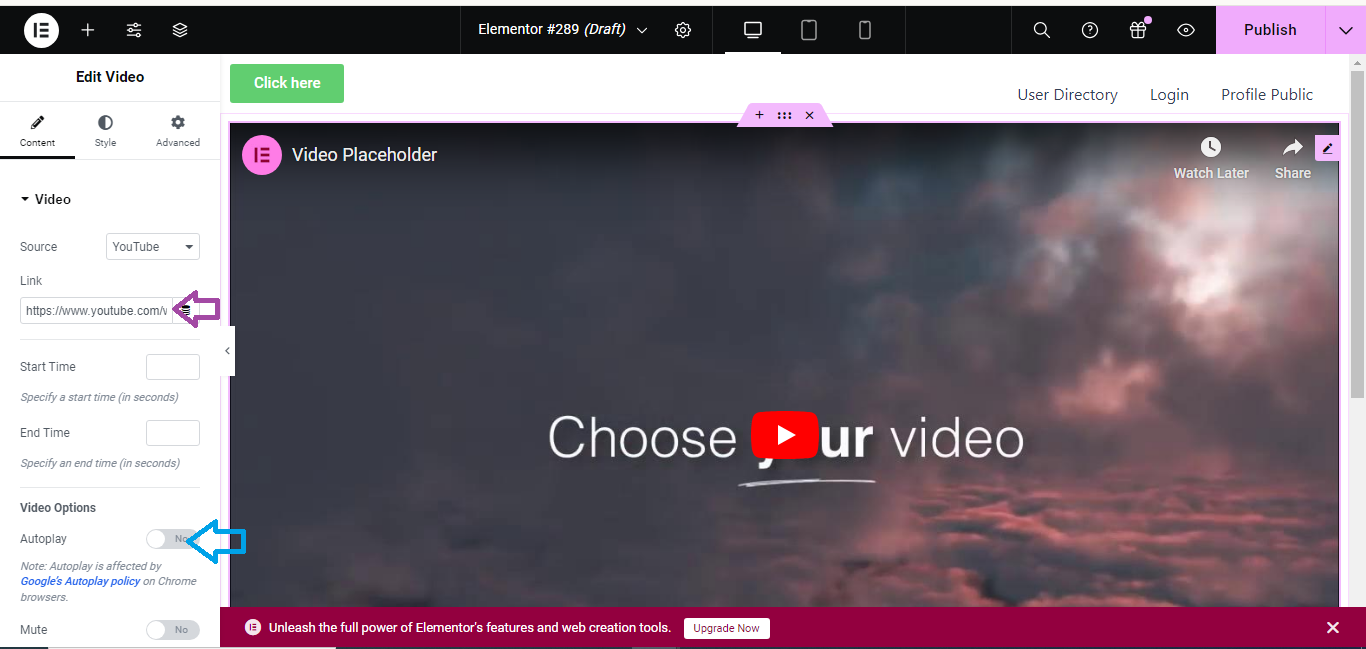
Step 4: Customize (Optional)
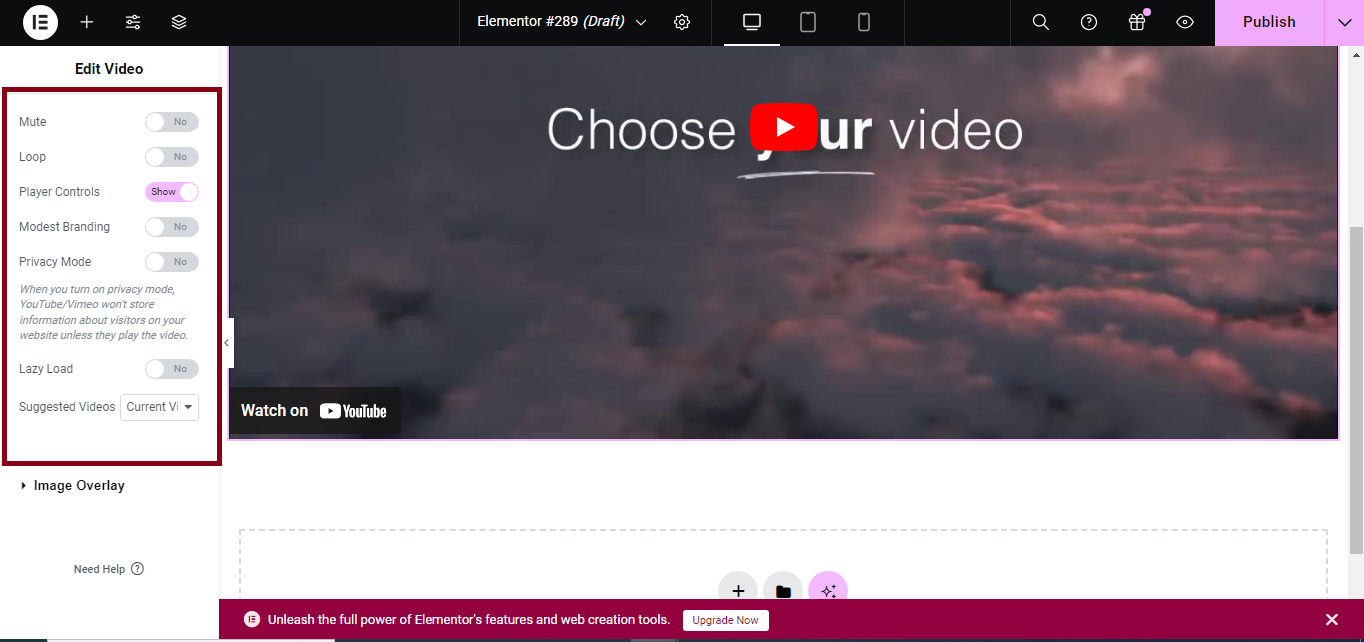
- You can adjust settings like autoplay, loop, and mute under the Video settings.
- You can also adjust the aspect ratio and other design options.
Step 5: Publish or Update the Page
- Once you’re satisfied with the video placement, click Publish (or Update if editing).
Your YouTube video will now be live on the page!


