
Open External Links in a New Tab
Step 1: Edit the Page with Elementor
- Go to your WordPress dashboard.
- Navigate to Pages or Posts.
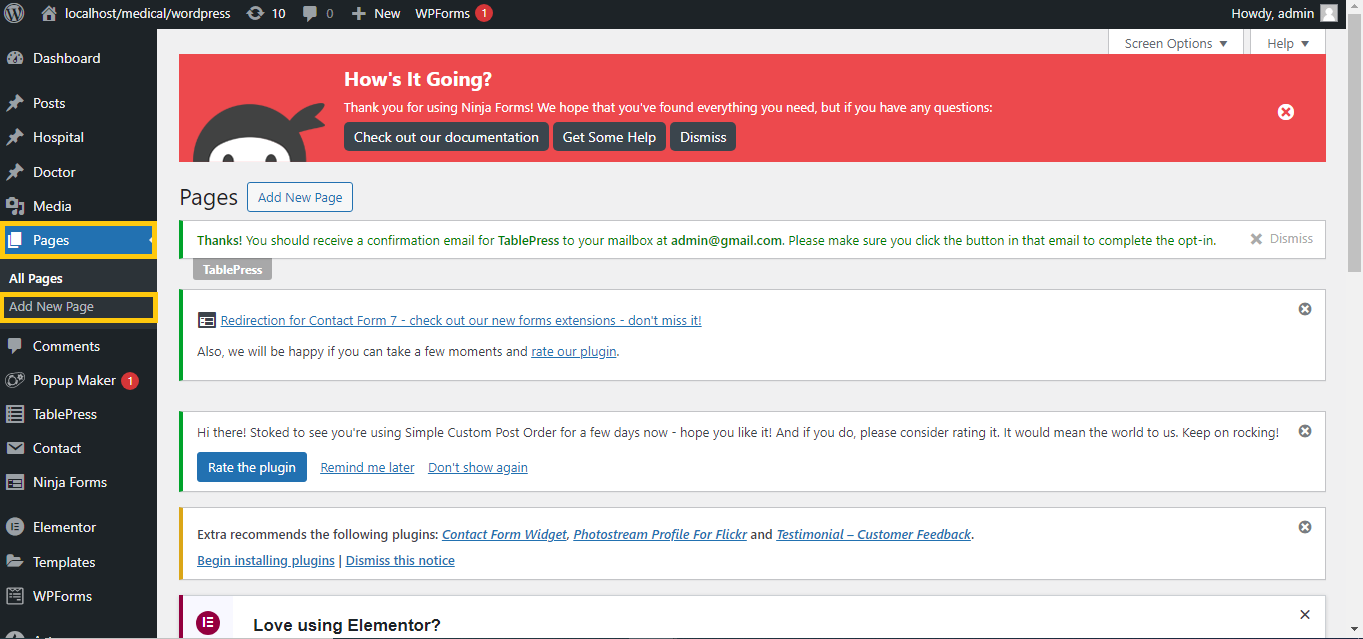
- Find the page or post you want to edit and click Edit with Elementor.

Step 2: Add or Edit a Link
- Select the widget where you want to add the link (e.g., Button, Text, Image).
- In the left panel, go to the Link field.
- Enter the URL for the external link.

Step 3: Enable “Open in New Tab”
- Next to the Link field, click the gear icon to open more options.
- Toggle “Open in new window” (this means opening in a new tab).
Step 4: Update the Page
- Once you’ve set the link to open in a new tab, click the Update button at the bottom to save changes.
Now, when someone clicks the link, it will open in a new tab!


