Change Password in WordPress Dashboard

Steps to Change Password in WordPress Dashboard:
- Log in to the WordPress Dashboard:
- Go to your WordPress site and log in with your current username and password.

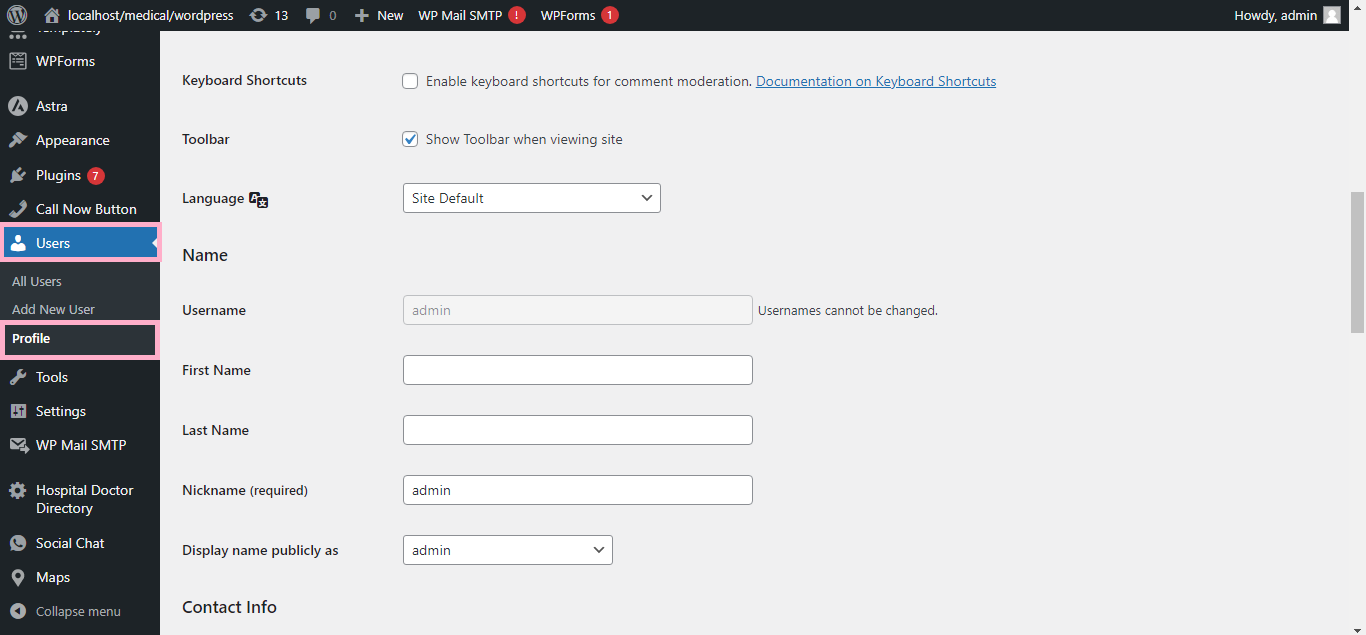
- Navigate to Your Profile:
- In the left-hand menu, click on Users and then select Profile (or click Your Profile if you’re logged in as admin).
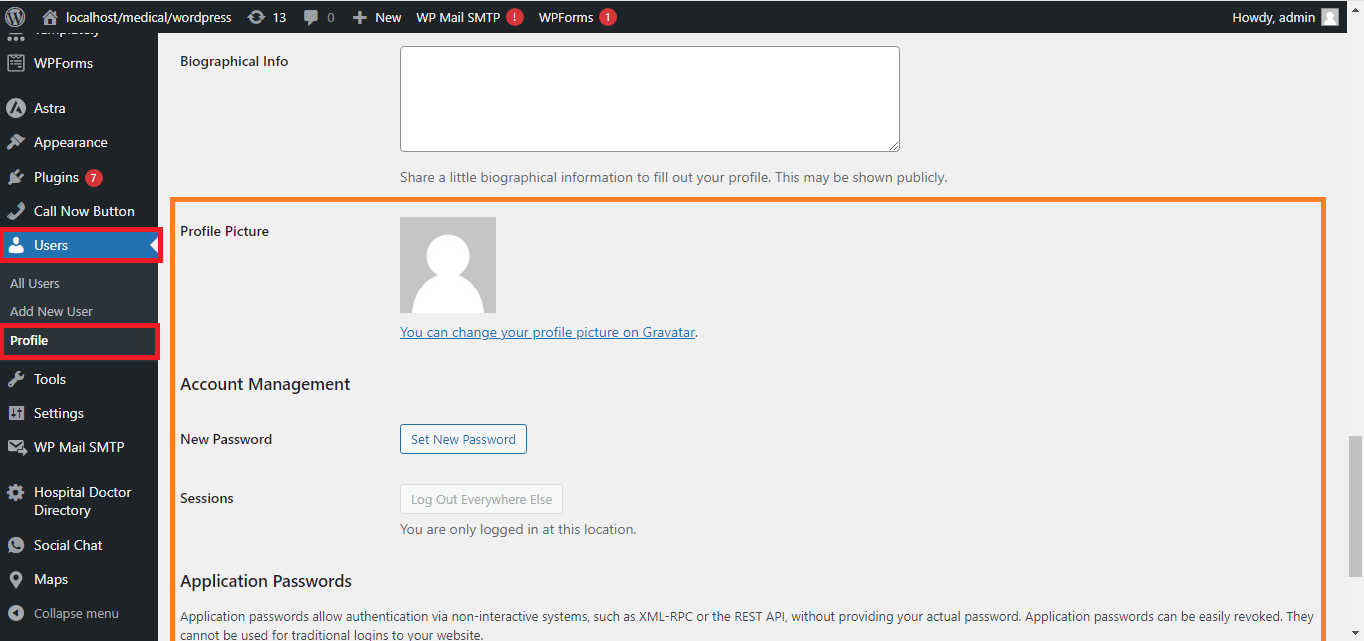
- Scroll Down to Account Management:
- Scroll down to the Account Management section.
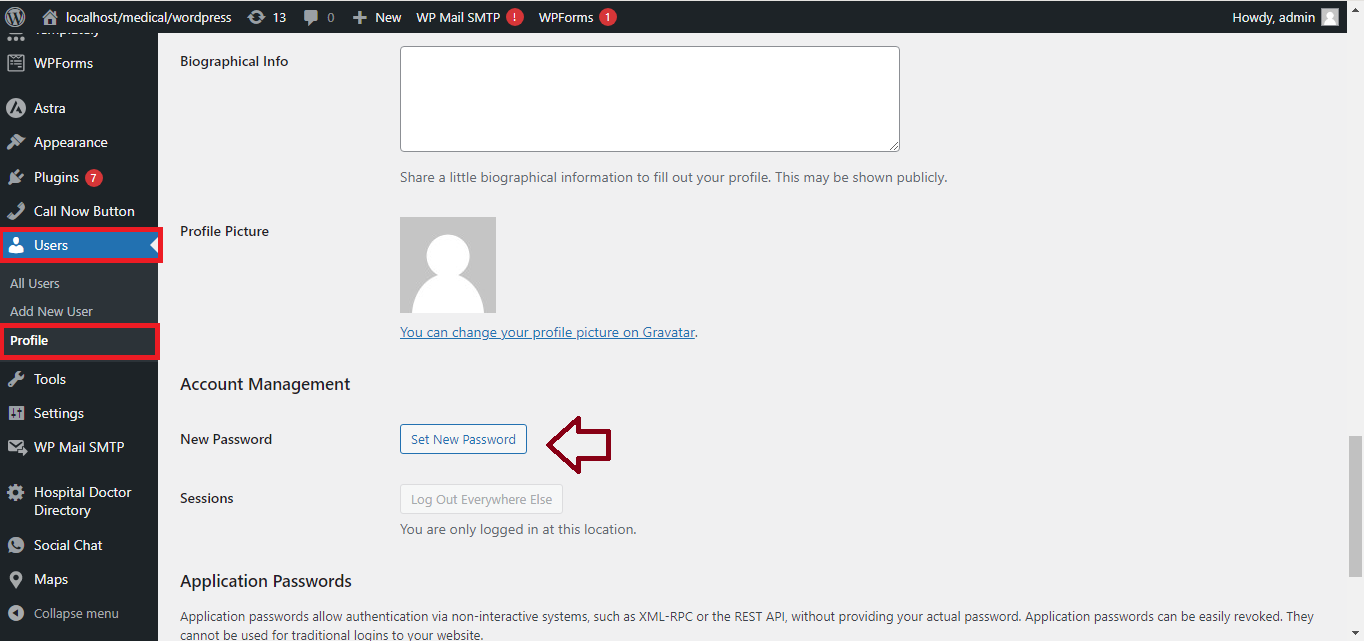
- Generate or Enter New Password:
- Click the Generate Password button.
- A strong password will be automatically generated, or you can delete it and type your own password.
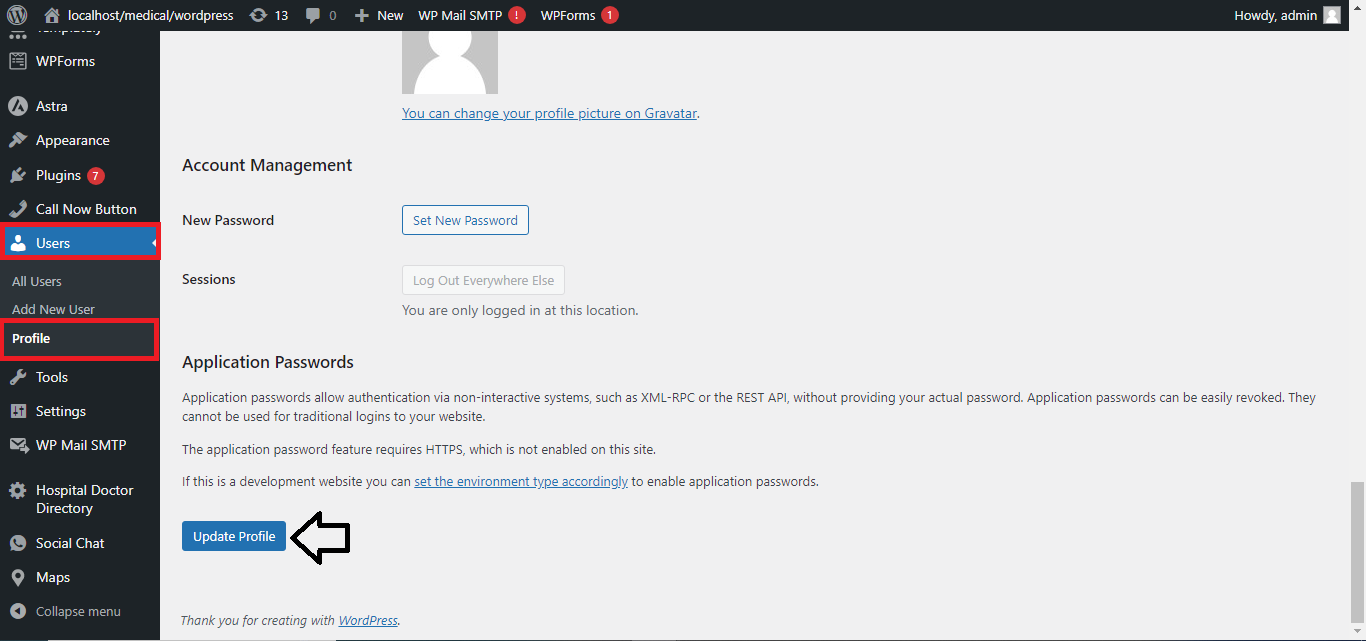
- Update Profile:
- After entering the new password, scroll to the bottom and click Update Profile to save the changes.
- Log In with New Password:
- After updating, use your new password the next time you log in.
That’s it! You’ve successfully changed your password in WordPress.


