Add WhatsApp Chat to WordPress Website

Method 1: Using a Plugin (easiest way)
- Install the Plugin:
- Go to your WordPress dashboard.
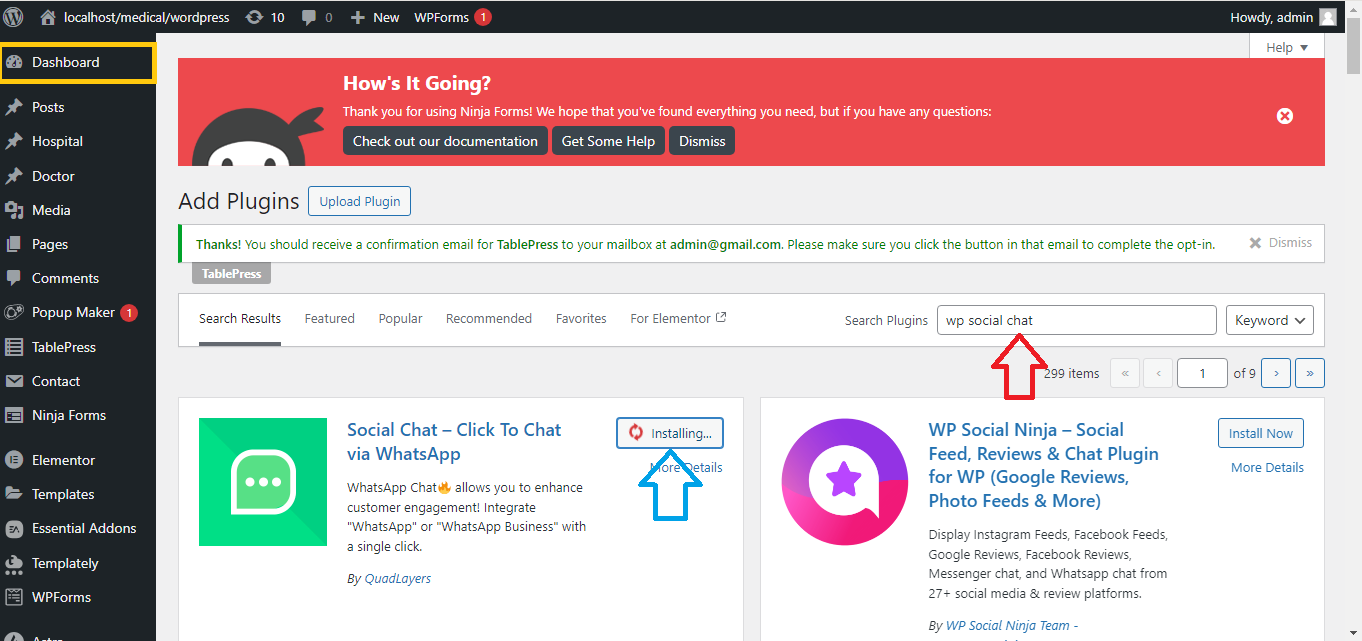
- Navigate to Plugins > Add New.
- In the search bar, type “WP Social Chat” or “Click to Chat“.
- Install and activate the plugin.
- Configure the Plugin:
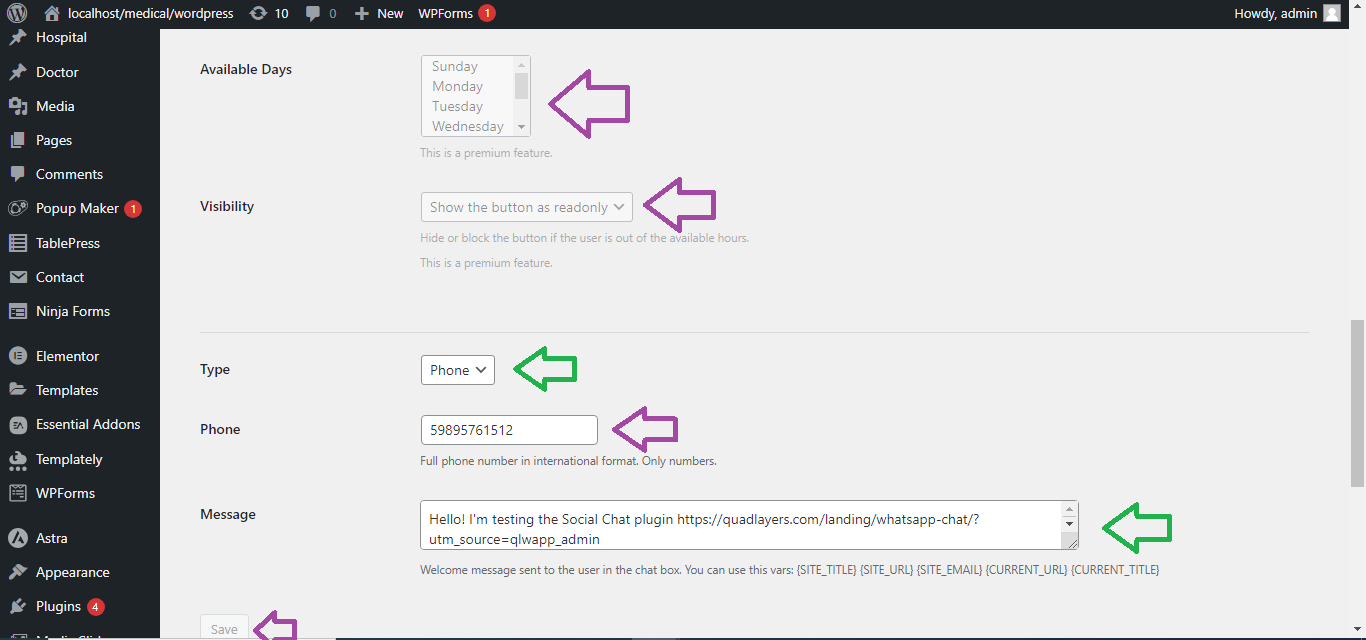
- After activation, go to Settings > WP Social Chat or Click to Chat.
- Enter your WhatsApp number (make sure to include your country code).
- Customize the message users will see when they click to chat with you.
- Set display options, like where you want the WhatsApp chat button to appear (e.g., on all pages, only on mobile, etc.).

- Save Settings:
- After configuration, save the settings.
- Now, a WhatsApp chat button will be visible on your website, allowing visitors to click and chat with you.
Method 2: Adding WhatsApp Chat Manually
- Generate WhatsApp Link:
- Use this format to create a WhatsApp link:
https://wa.me/yourphonenumber- Replace
yourphonenumberwith your WhatsApp number (include the country code, but without any+or spaces). - Example:
https://wa.me/1234567890.
- Replace
- Use this format to create a WhatsApp link:

- Add to Your Website:
- Go to your WordPress dashboard and navigate to the page or post where you want to add the WhatsApp chat.
- Insert the WhatsApp link (generated above) in the content using a text link or button.
- You can also add a WhatsApp icon with the link if your theme or page builder allows.
- Save Changes:
- Save the changes and check your website to ensure the WhatsApp link/button is working.

Method 3: Using Elementor (If you’re using Elementor)
- Install the “ElementsKit” Plugin:
- Go to Plugins > Add New, search for ElementsKit, and install/activate it.

- Create a WhatsApp Button:
- In Elementor, drag and drop the Button Widget to your desired section.
- Link the button to your WhatsApp number using the format
https://wa.me/yourphonenumber. - Customize the button text, style, and appearance.

- Save and Publish:
- Save and publish the page. Now, visitors can chat with you directly via WhatsApp.
These steps will help you easily add a WhatsApp chat button to your WordPress website.


