How to set any page as a Homepage in WordPress?

To set any page as the homepage in WordPress, follow these steps:
1. Create or Select a Page
If you already have a page you want to use as the homepage, skip to the next step. If not, you’ll need to create one:
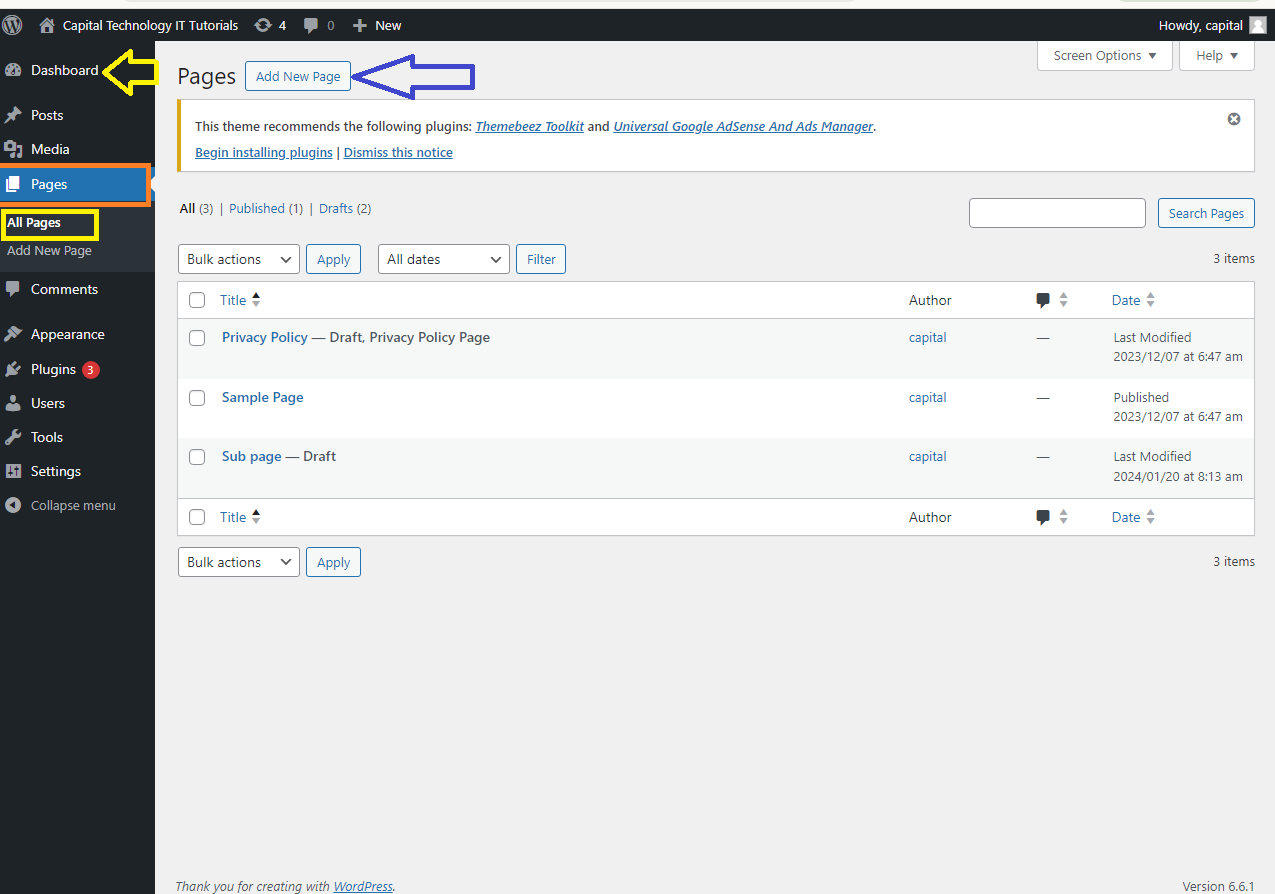
Step 1: Create a New Page
- Go to
Pages>Add Newin your WordPress dashboard.
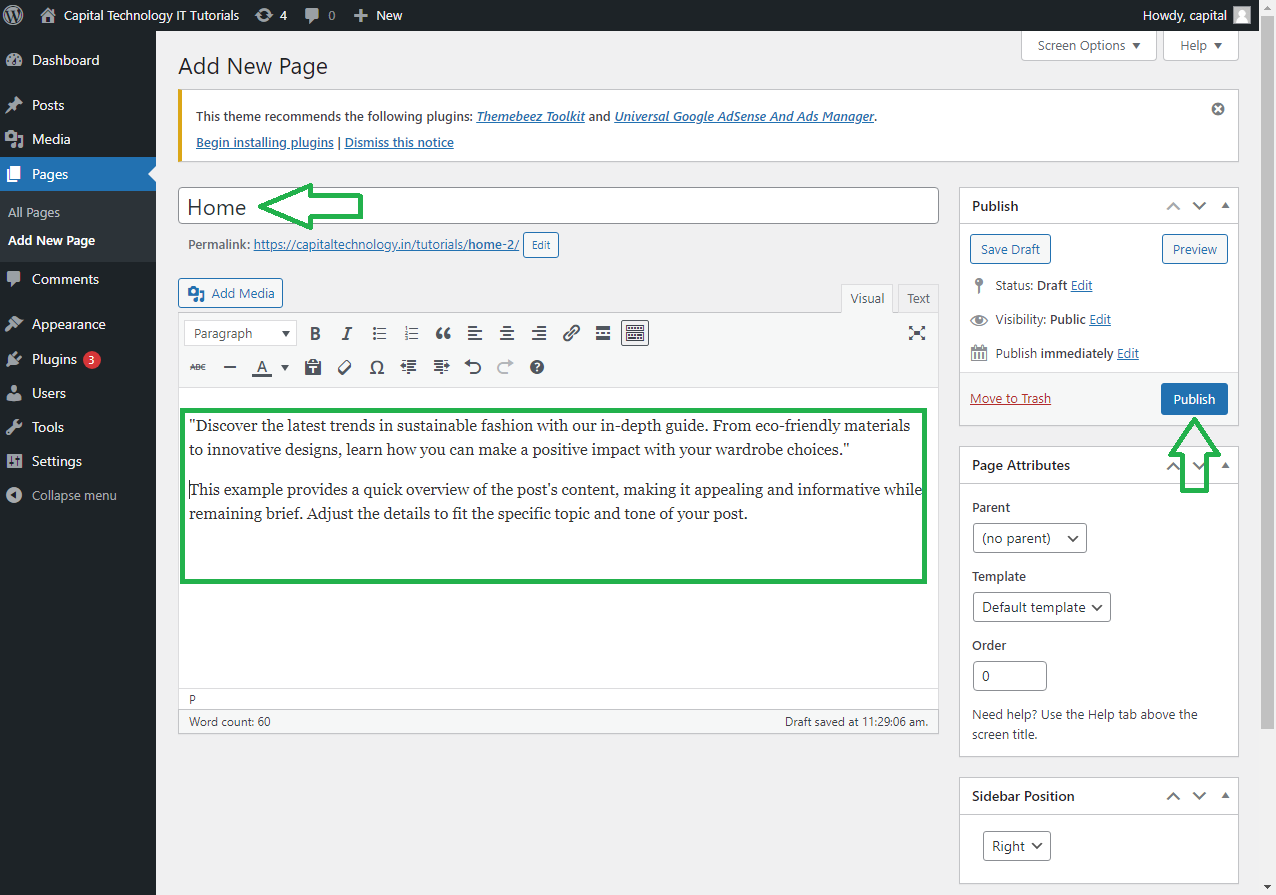
- Give your page a title (e.g., “Home”).
- Add the content you want to display on your homepage.
- Click Publish to save the page.
2. Set the Homepage
Once you have the page ready, you can set it as the homepage:
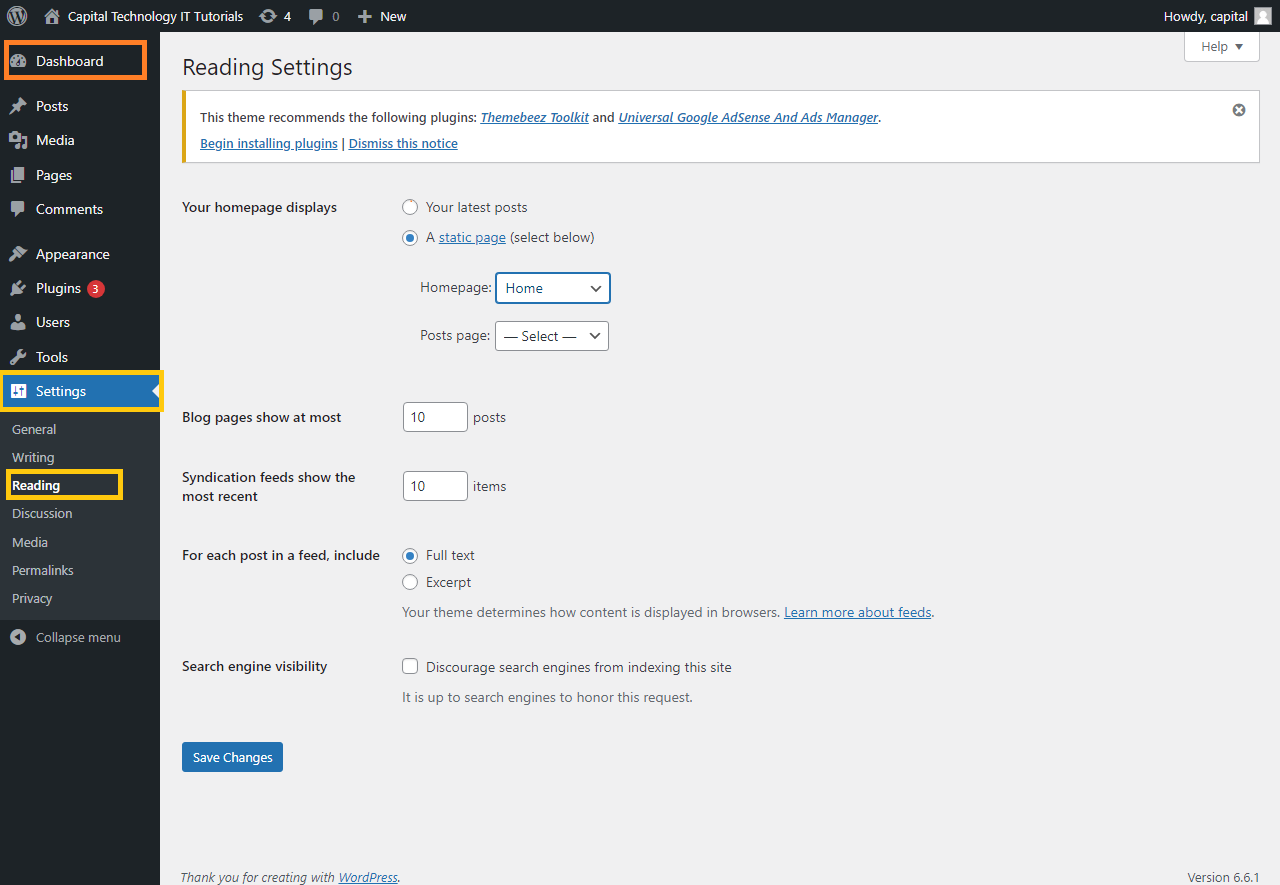
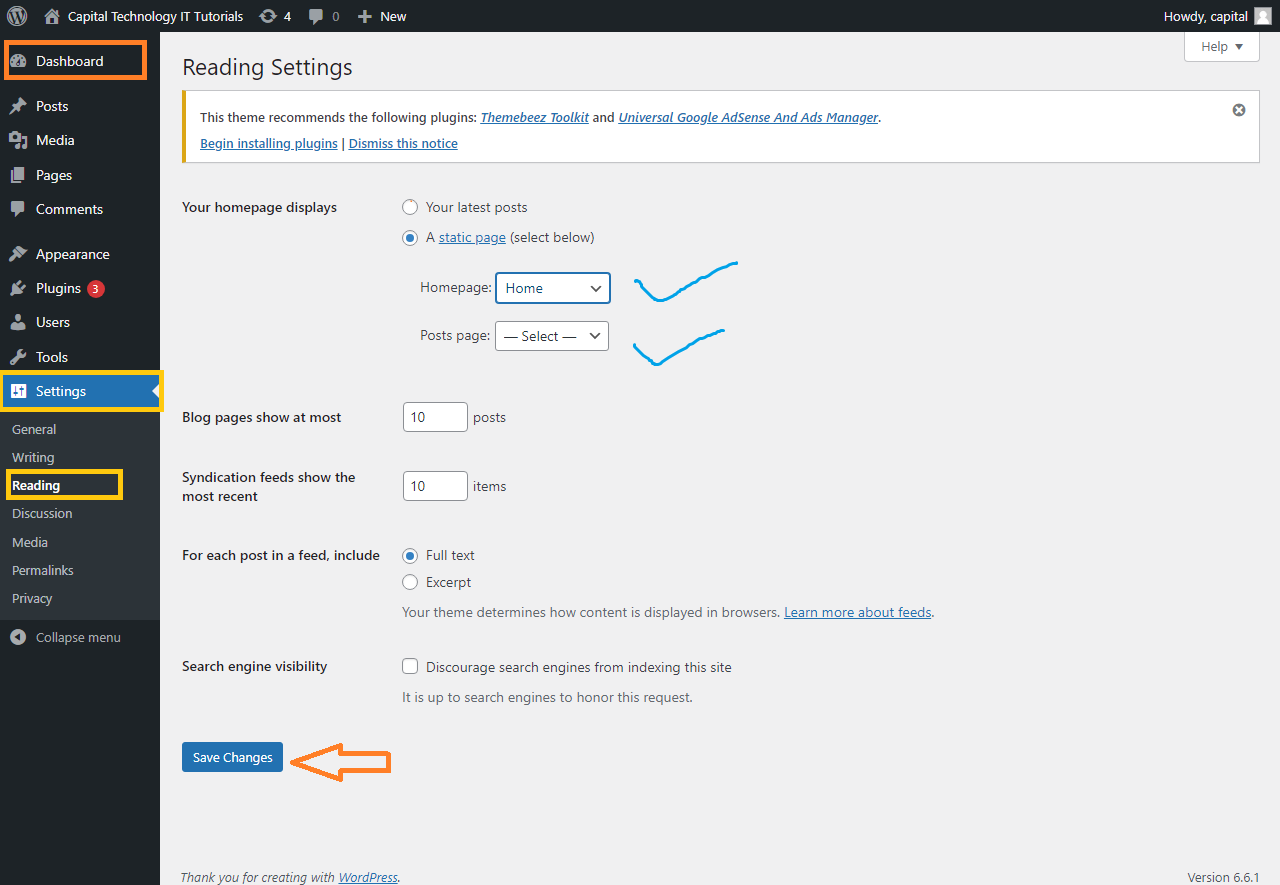
Step 1: Access Reading Settings
- Go to
Settings>Reading.
Step 2: Set the Front Page Display
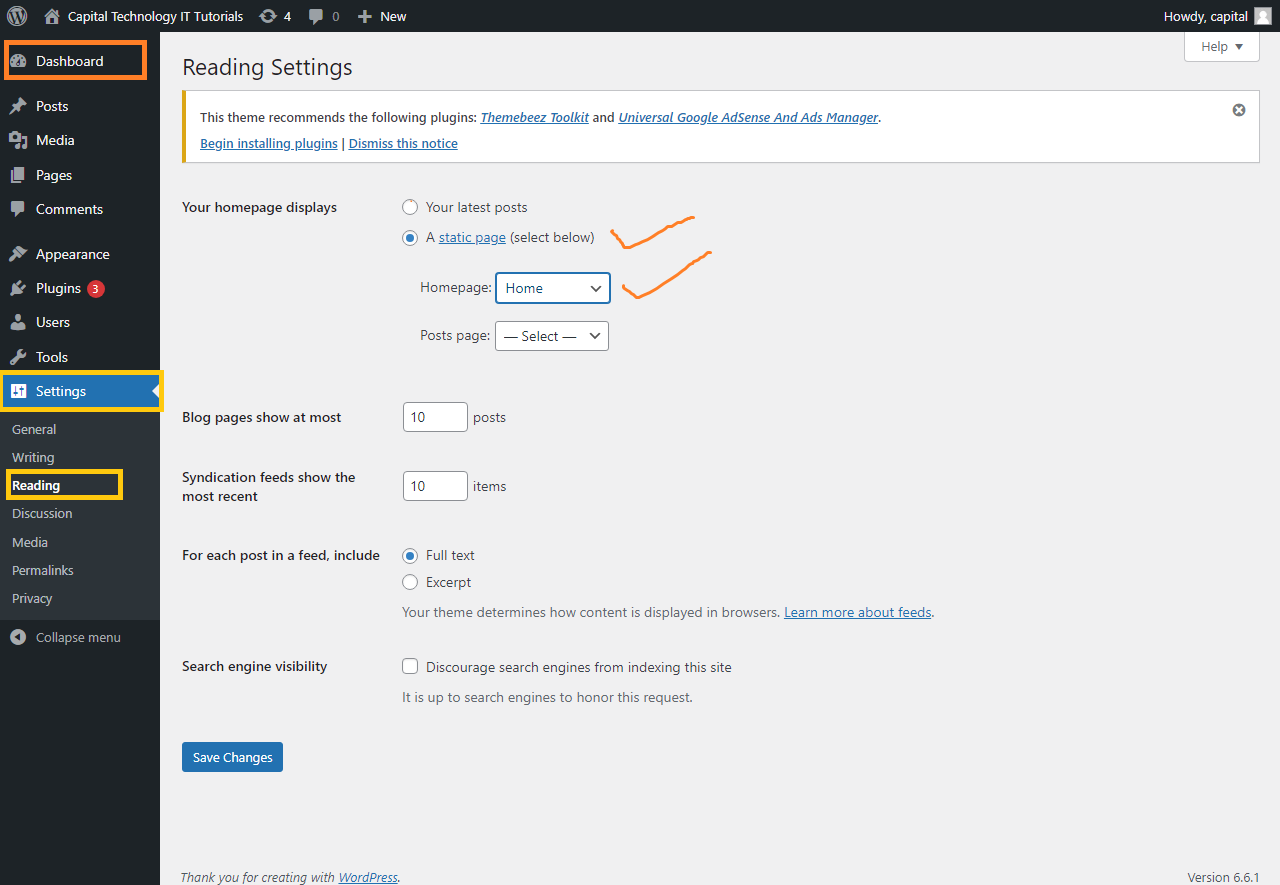
- Under the Your homepage displays section, select the A static page option.
- In the Homepage dropdown menu, select the page you want to use as the homepage (e.g., “Home”).
- If you have a blog, you can select a different page to display your blog posts in the Posts page dropdown menu.
Step 3: Save Changes
- Scroll down and click Save Changes to apply your settings.
Summary
- Create a Page: If needed, create a new page that will serve as your homepage.
- Set Homepage: Go to
Settings>Reading, select A static page, and choose your page from the Homepage dropdown menu. - Save: Click Save Changes to set the selected page as your homepage.
This process will make the chosen page the first page visitors see when they access your WordPress site.


