Server Installation (XAMPP Installation)

Apache Friends developed XAMPP, a cross-platform web server solution stack package which is accessible for free and open source. installation steps for XAMPP, which is a software package that includes Apache, MySQL, PHP, and Perl.

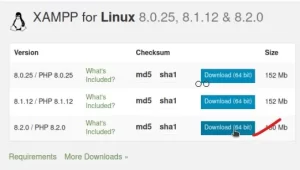
Get XAMPP here.
Visit the Apache Friends website at https://www.apachefriends.org/index.html to get the XAMPP installation that is appropriate for your operating system (Windows, macOS, or Linux).
Launch the Installer:
Once the download is complete, run the installer with administrative privileges on your system.
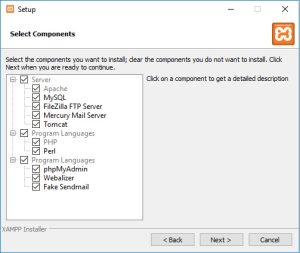
Choose Components:
You will be asked to choose the components you wish to install during the installation process. Apache, MySQL, PHP, and phpMyAdmin are chosen by default. These defaults can be maintained, or you can choose or deselect components in accordance with your needs.
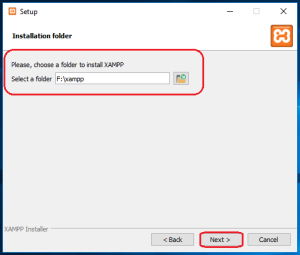
Select Installation Folder:
Select the folder where XAMPP is to be installed. Usually, the default folder works just fine, but if necessary, you can select a different location.
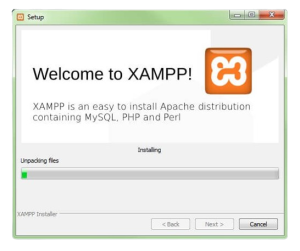
Start the Installation:
Click “Next” or “Install” to continue with the installation. The length of the installation process may vary based on the speed of your system.
Launch XAMPP:
Once the installation is complete, you’ll be asked whether you want to start the Control Panel. If not, you can manually launch it later.
Start Services:
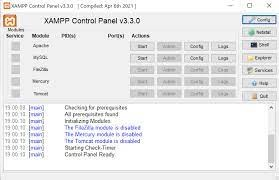
Click the “Start” buttons next to the names of the Apache and MySQL services in the XAMPP Control Panel to launch them. The firewall on your operating system may ask you to grant access to these services; please do so.
Verify Installation:
In the address bar of an open web browser, type either http://localhost or http://127.0.0.1. You should be able to see the XAMPP dashboard, which shows that Apache and PHP are operating, if everything is configured properly.
Test MySQL:
Open your browser and navigate to http://localhost/phpmyadmin/ to see if MySQL is operating correctly. If it loads properly, MySQL is operating and phpMyAdmin can be used to manage databases.